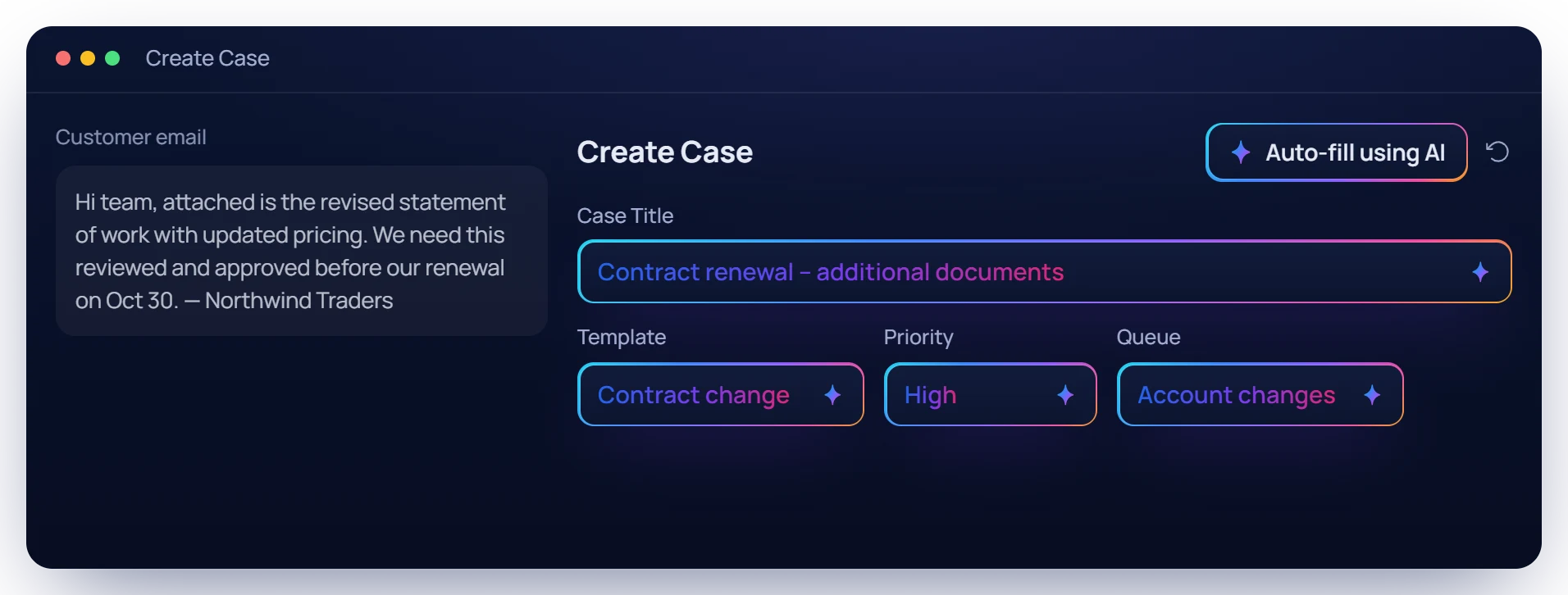
Auto-fill a new case. Paste in the request and Avia AI fills the template, title, priority, queue and description for you to check.
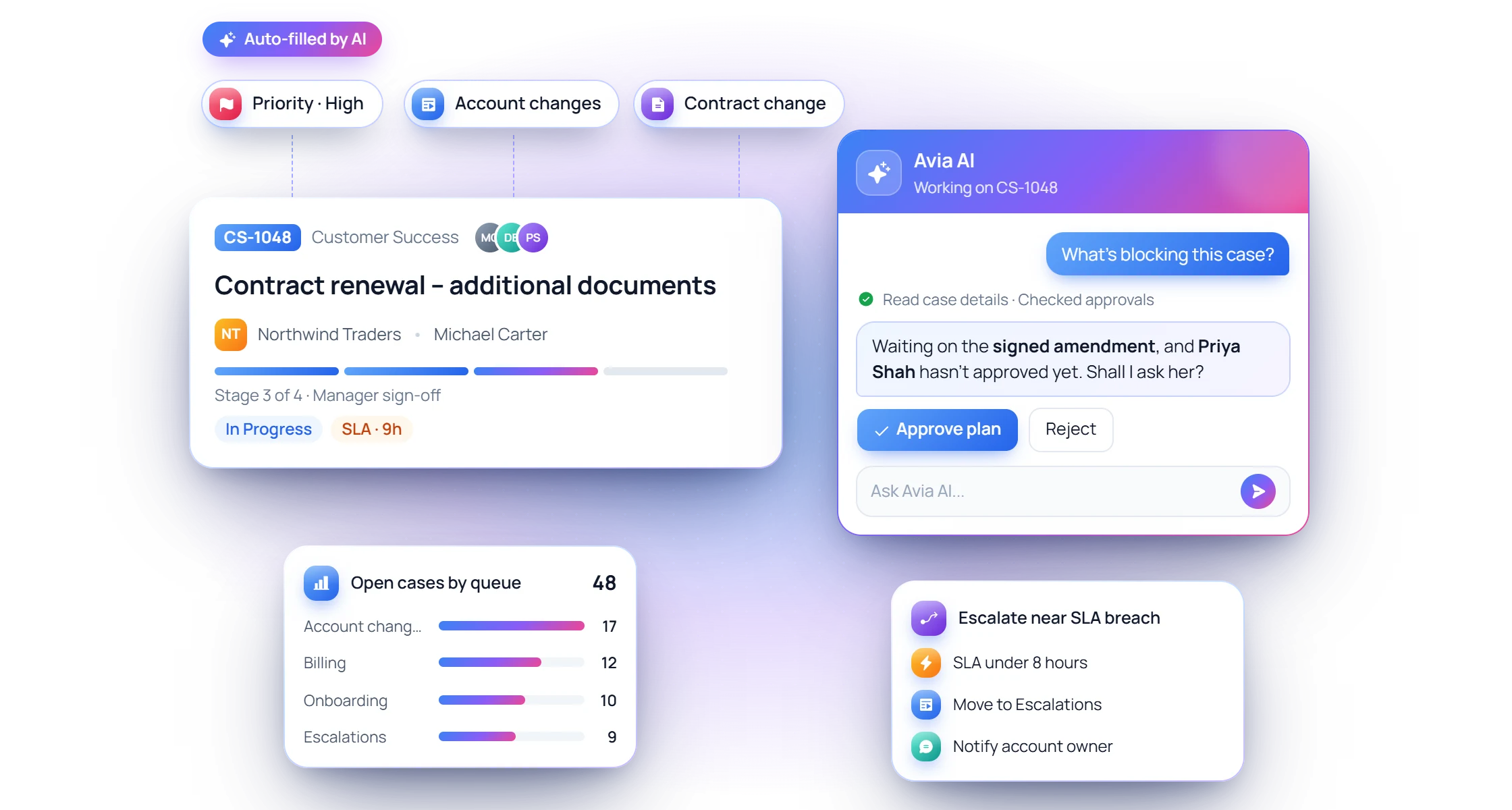
From filling in new cases to building reports, dashboards and automations, Avia AI takes the busywork. You approve every change.
Auto-fill a new case. Paste in the request and Avia AI fills the template, title, priority, queue and description for you to check.
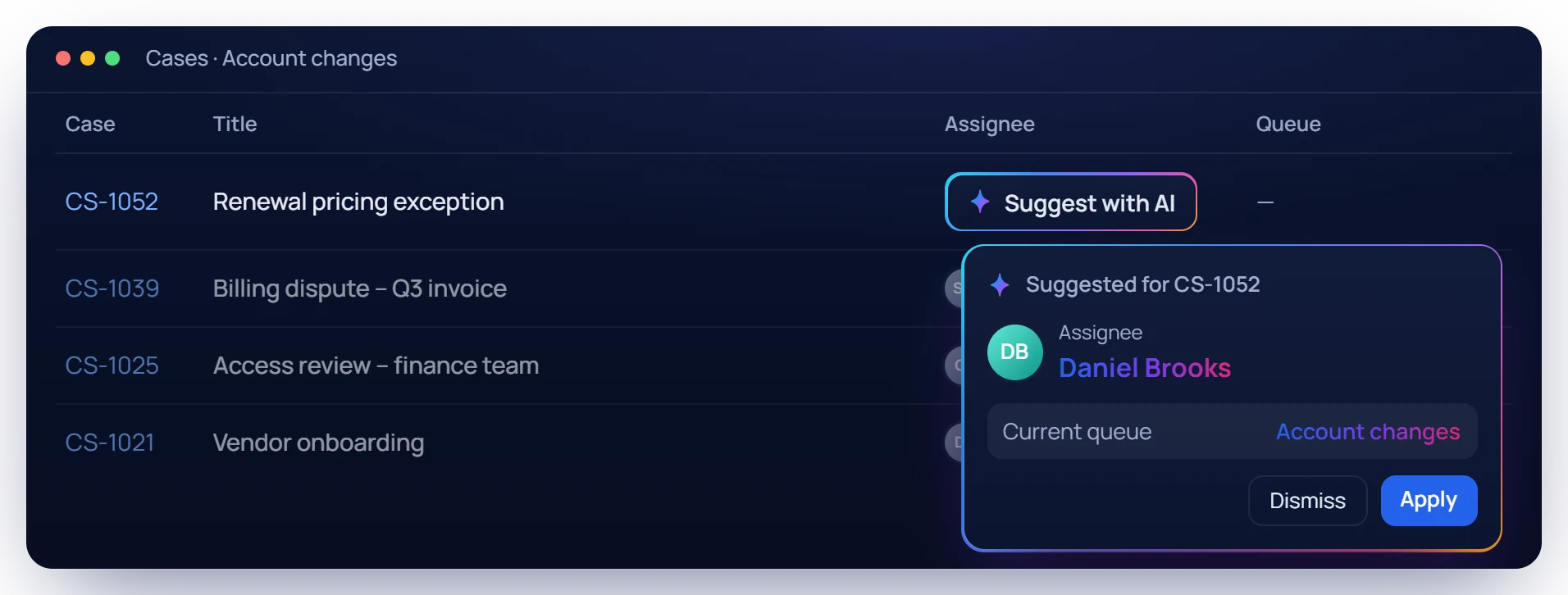
Smart assignment. Let AI suggest who should own a case and which queue it belongs in.
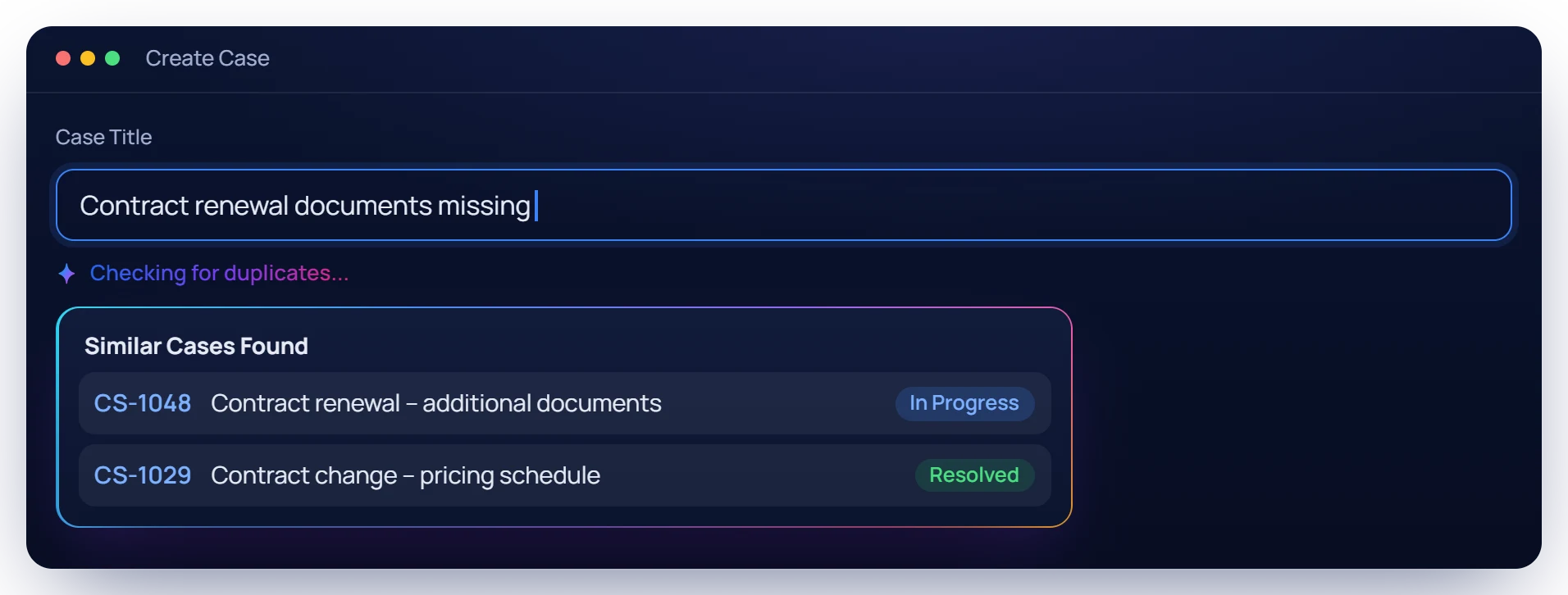
Duplicate check. As you type a case title, AI looks for similar cases so the same request is not opened twice.
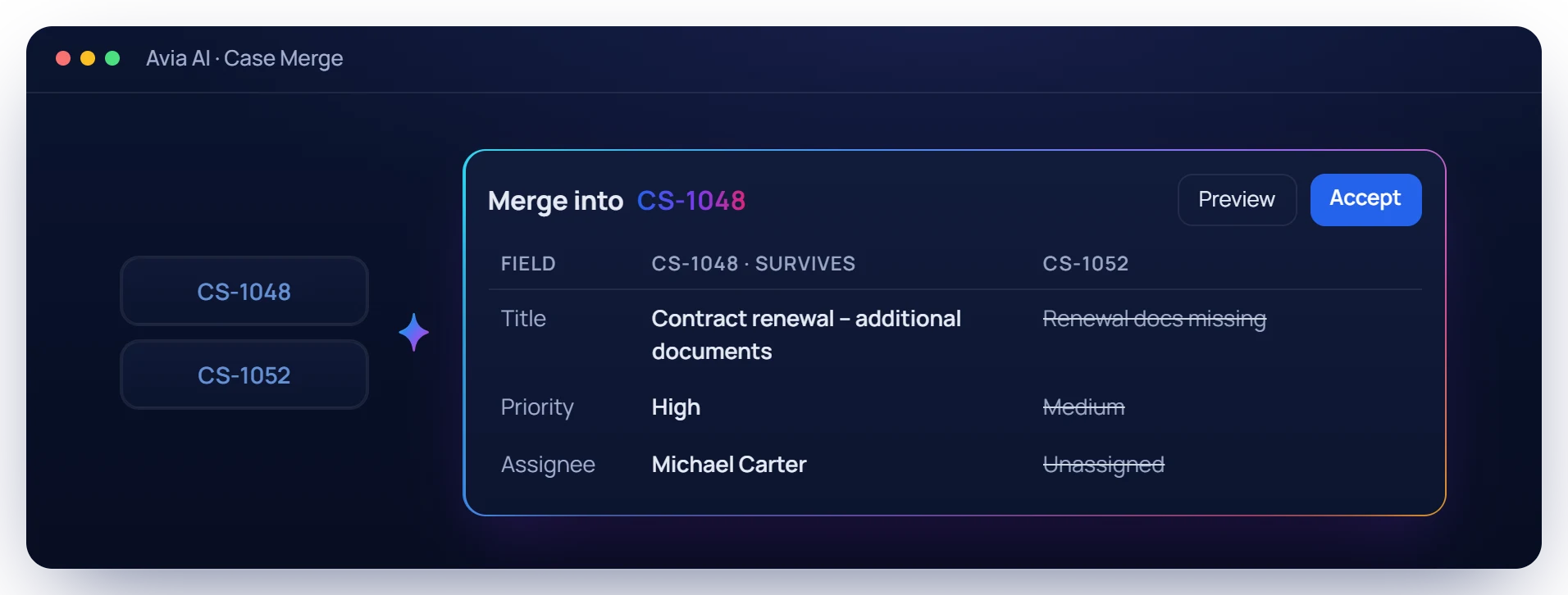
Merge duplicates. Ask Avia AI to merge two or three cases. See which case survives and what changes, then accept.
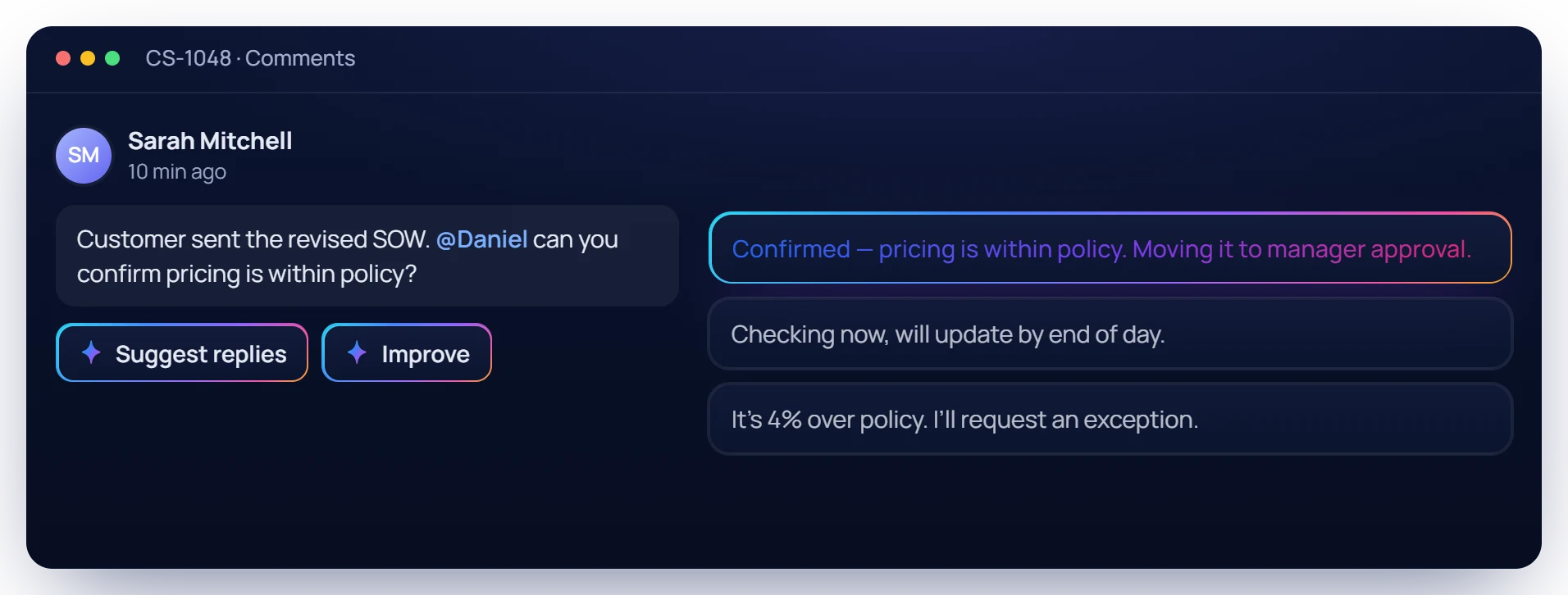
Reply faster. Get suggested replies to a comment, or improve your own before you post it.
Ask for it. Review it. Accept it.
Avia AI works across your workspace. Ask for a report, a dashboard, an automation or a template, and it plans the work, shows each step, and hands you a preview to accept. Nothing changes until you do.
HIGHLIGHTS
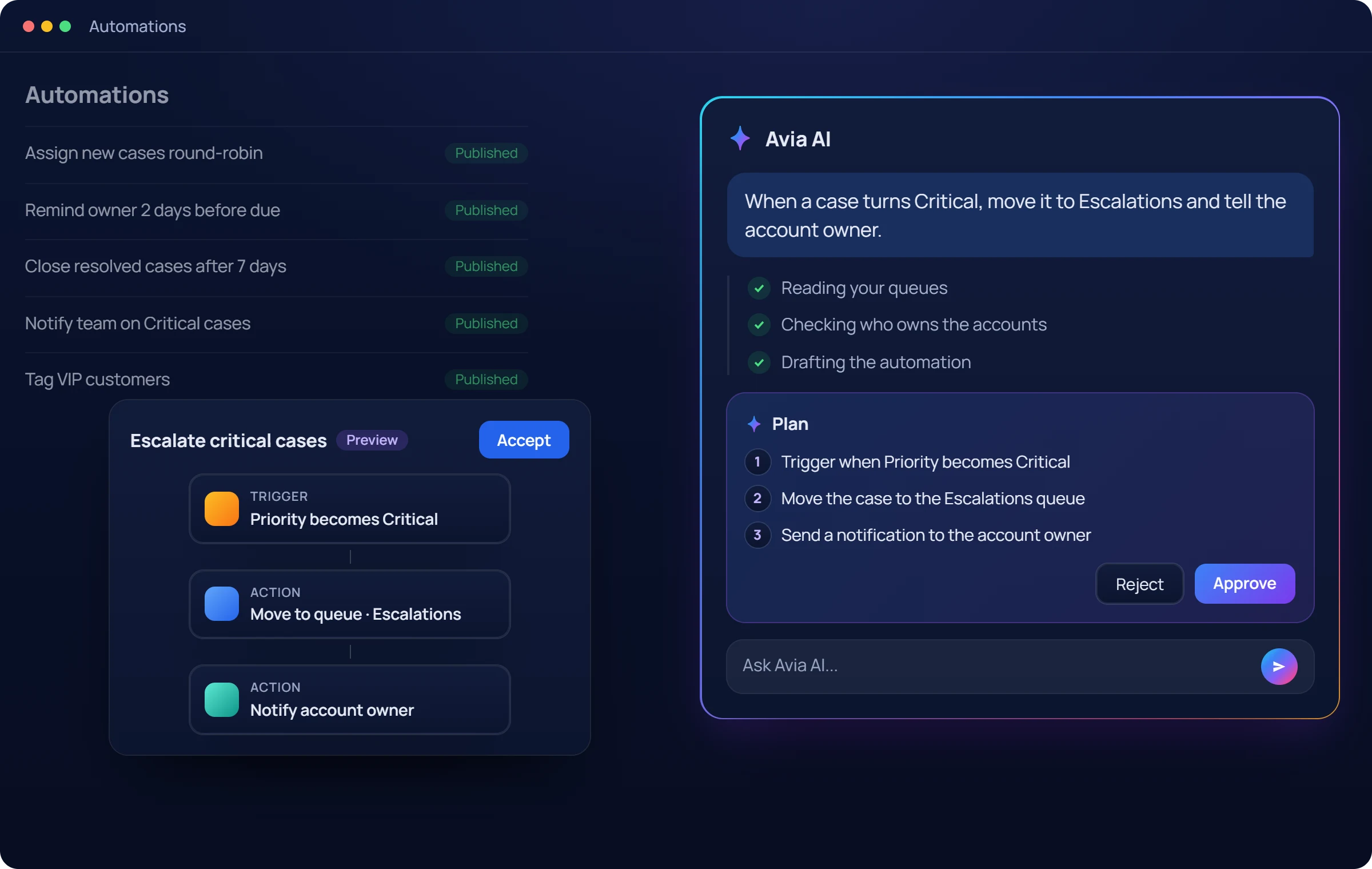
Tell Avia AI what you want to see. It builds the report or dashboard and opens it as a preview for you to accept.
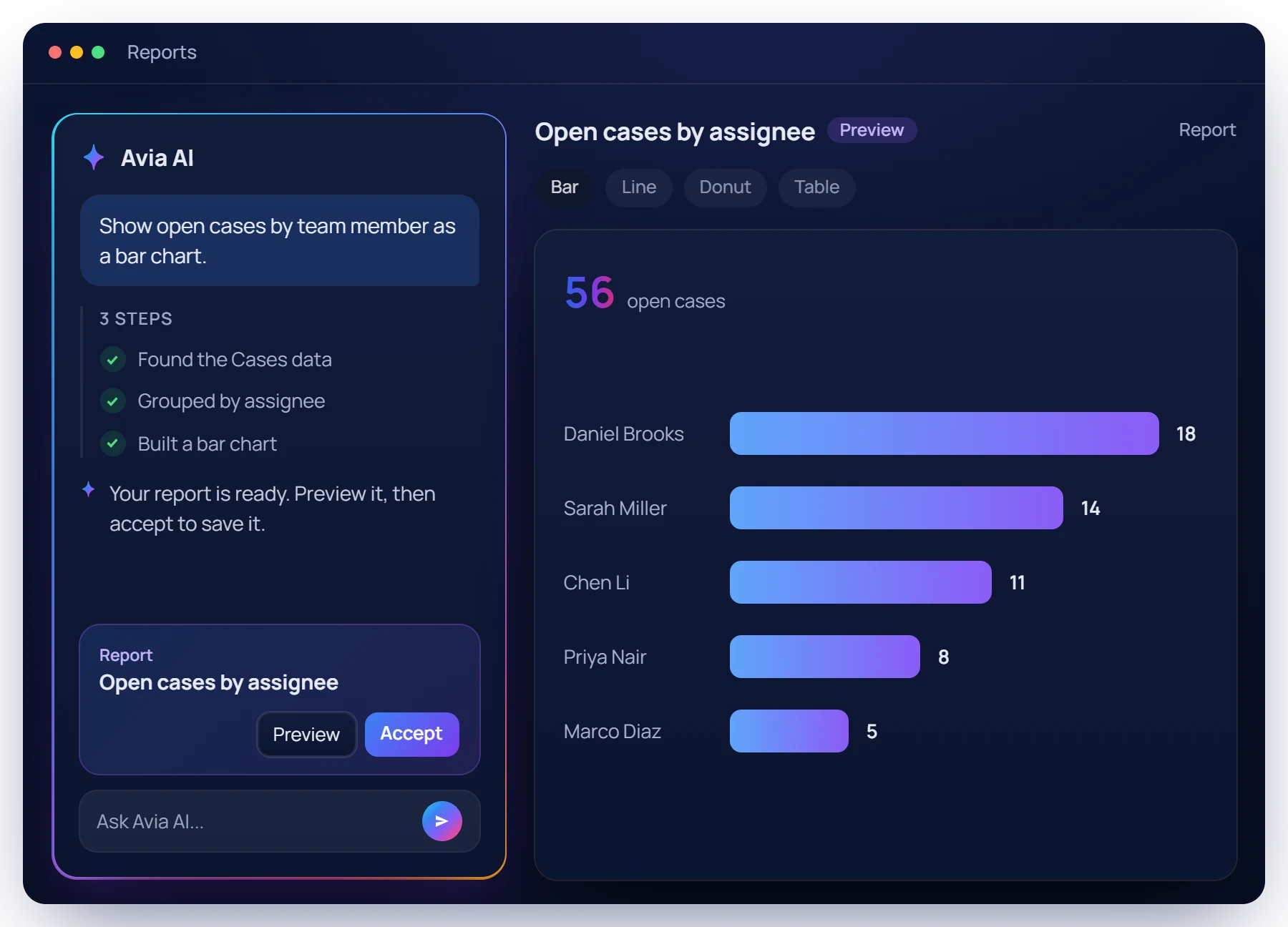
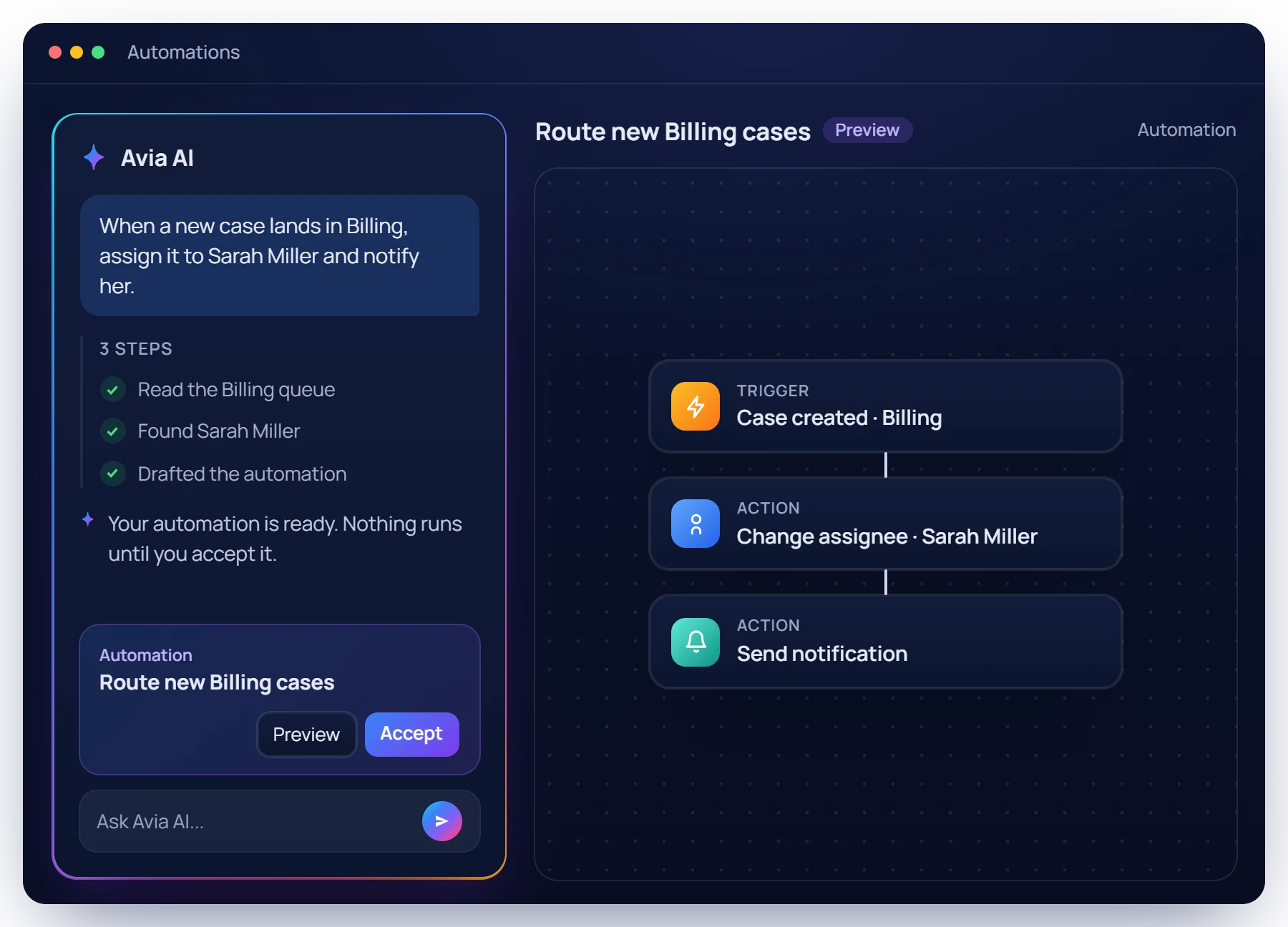
Ask for an automation or a business workflow in plain words. Avia AI drafts the trigger and the actions for you to review.
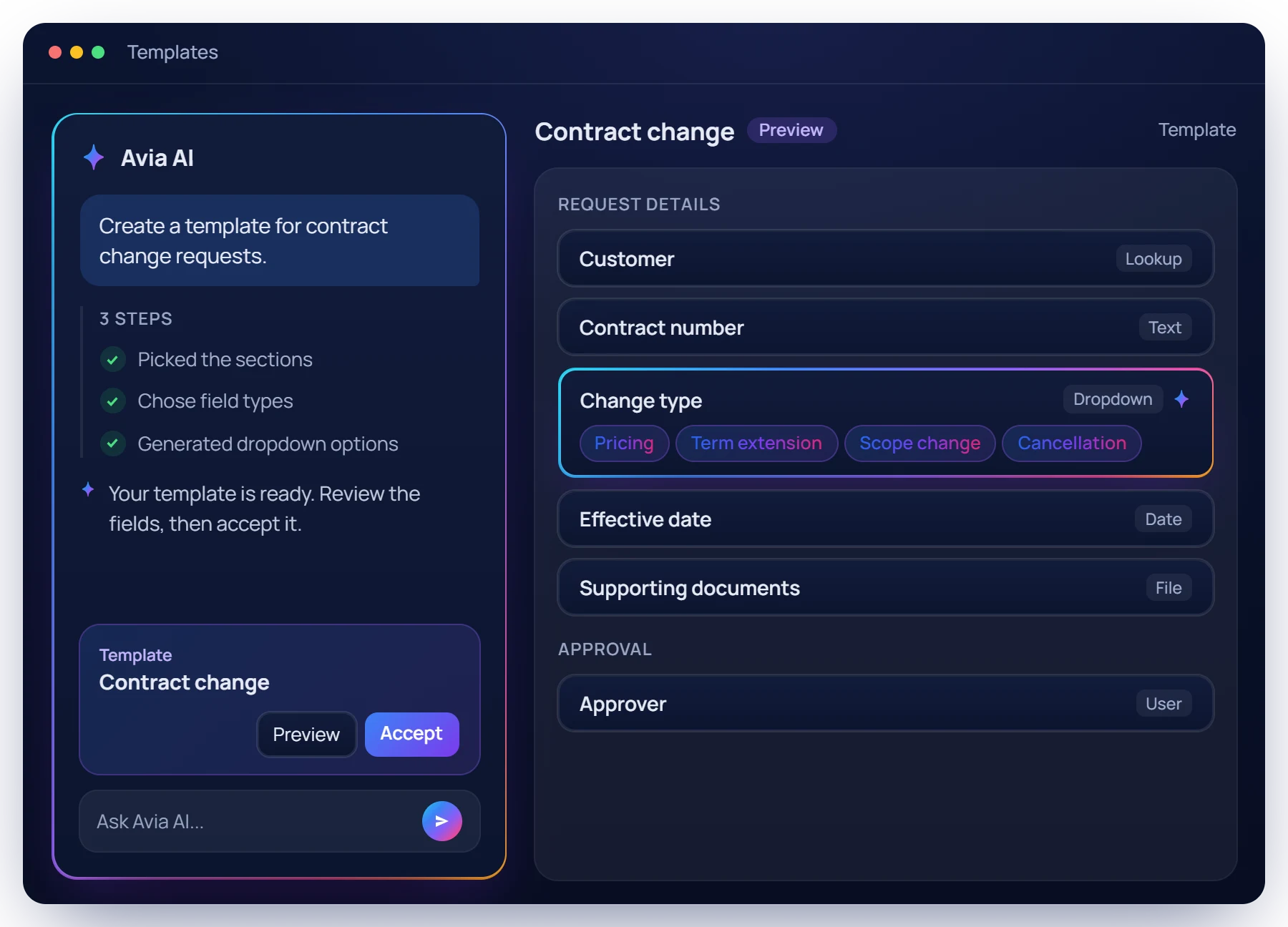
Avia AI builds case templates from a description, with sections, fields and field types, ready to review in the template builder.
AI that helps your team resolve cases faster, automate work, and make smarter decisions.
See how Avikto AI combines intelligent automation, operational intelligence, and collaboration in one unified platform.
| Capability | Avikto AI | Traditional Case Management | Standalone AI Tools |
|---|---|---|---|
| AI-powered case creation and updates | - | ||
| Preview and approve every AI change | |||
| AI-generated reports & dashboards | |||
| Automations drafted from plain language | |||
| Duplicate check and case merge | |||
| AI-suggested assignee and queue | |||
| AI summaries & collaboration assistance | |||
| Unified workspace for cases, workflows & reports | |||
| Enterprise security & governance | |||
| Built specifically for case operations |
Set up your first workflow, add the automation rules, and watch cases move - with the audit trail already built in.