Your team closes cases faster.
Auditors find nothing missing.
Less time chasing records, more time investigating — every action already documented for the audit.
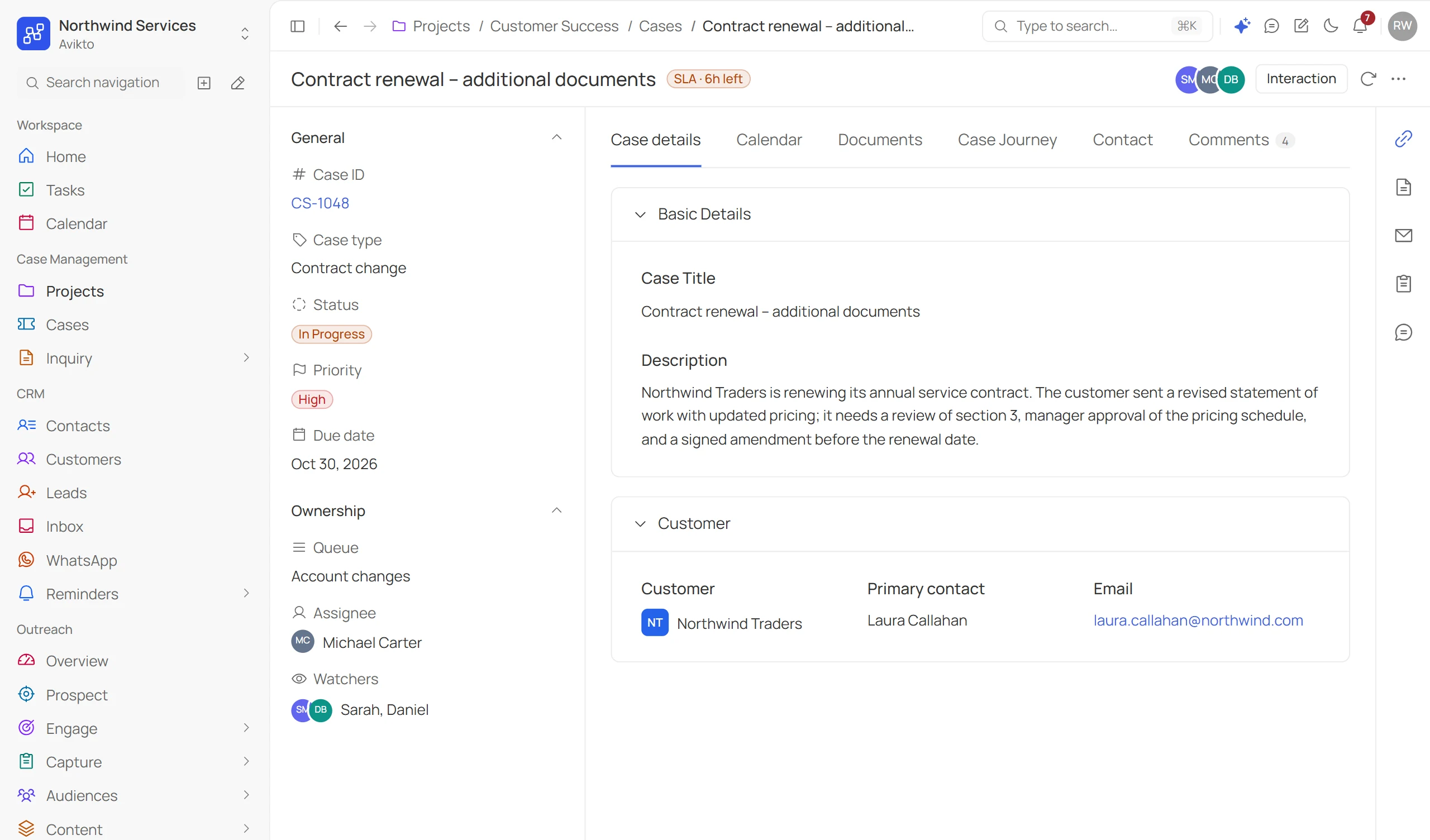
AI-Driven Capabilities That Boost Team Productivity
Intelligent automation that helps teams prioritise cases, predict risks, eliminate duplicates, and resolve issues faster.
AI Case Triage
Suggests the type, priority and owner of every new case, and sends it to the right queue.
SLA Risk Prediction
Flags cases likely to miss their deadline while there is still time to act.
Duplicate Case Detection
Spots a duplicate as a case is created, and suggests linking or merging instead.
Smart Resolution Assistant
Drafts resolution notes when a case closes and turns the fix into a knowledge article.
observability
Deploy, monitor, and iterate safely
Once live, every automation run is logged. Pause, inspect, or roll back — without touching active cases.
01.
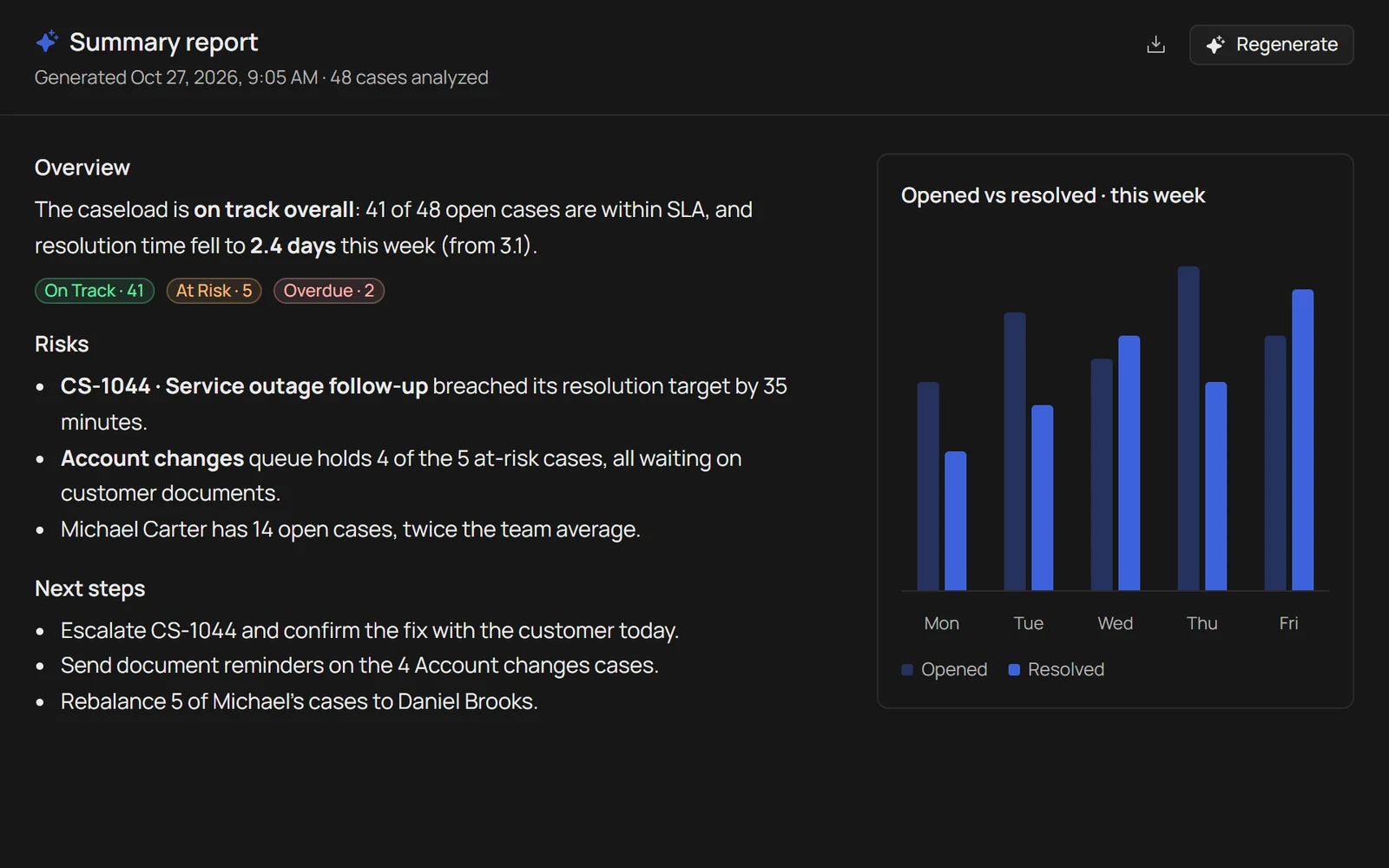
AI case summary
Turn an open caseload into a clear written update — status, risk, and next steps — generated in seconds instead of typed by hand.
- On Track
- At Risk
- Overdue
02.
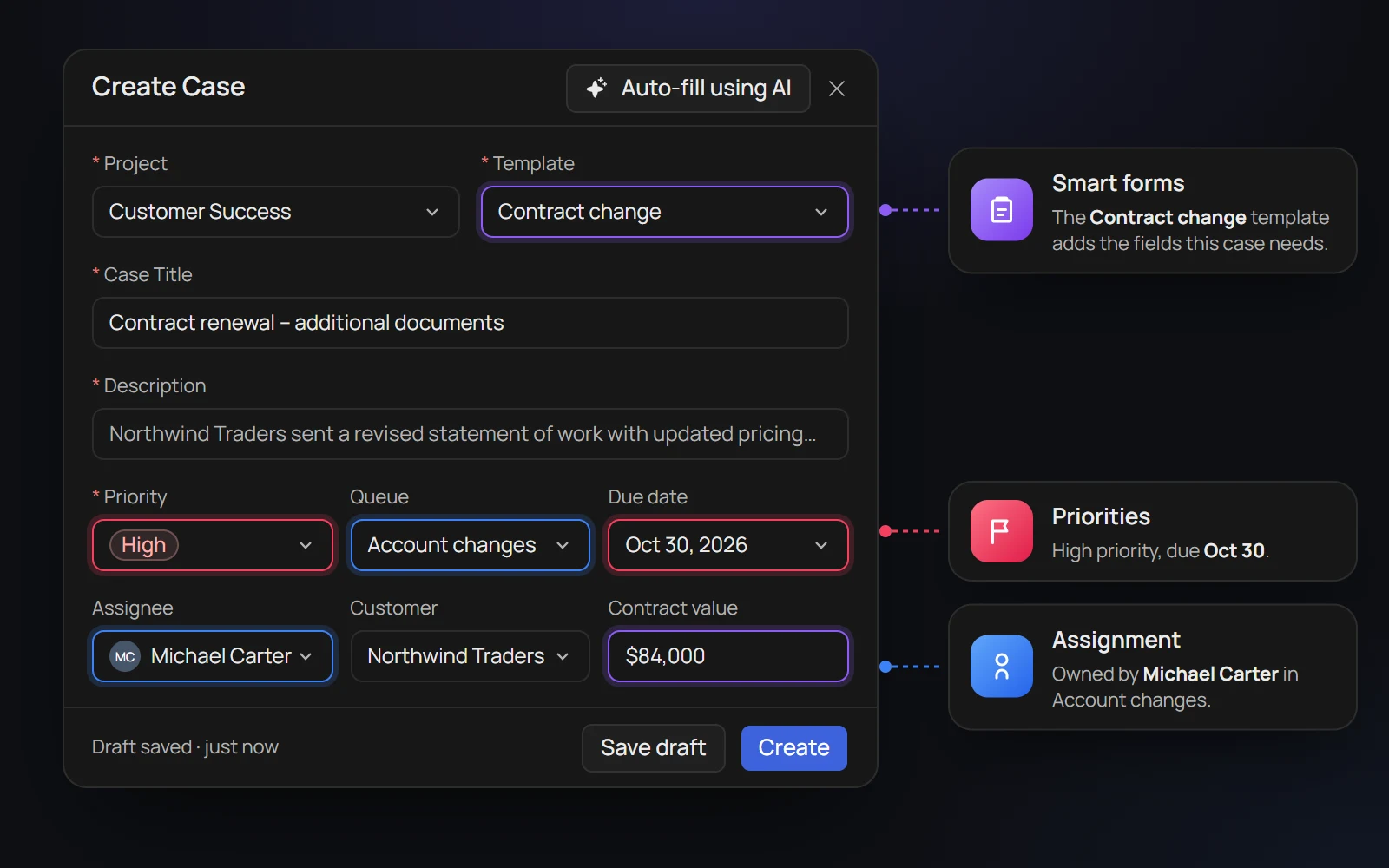
Case Intake
Capture every case through a single, centralized workspace. Standardize information, assign ownership, set priorities, and ensure every case starts with complete and accurate data.
- Smart Forms
- Assignment
- Priorities
03.
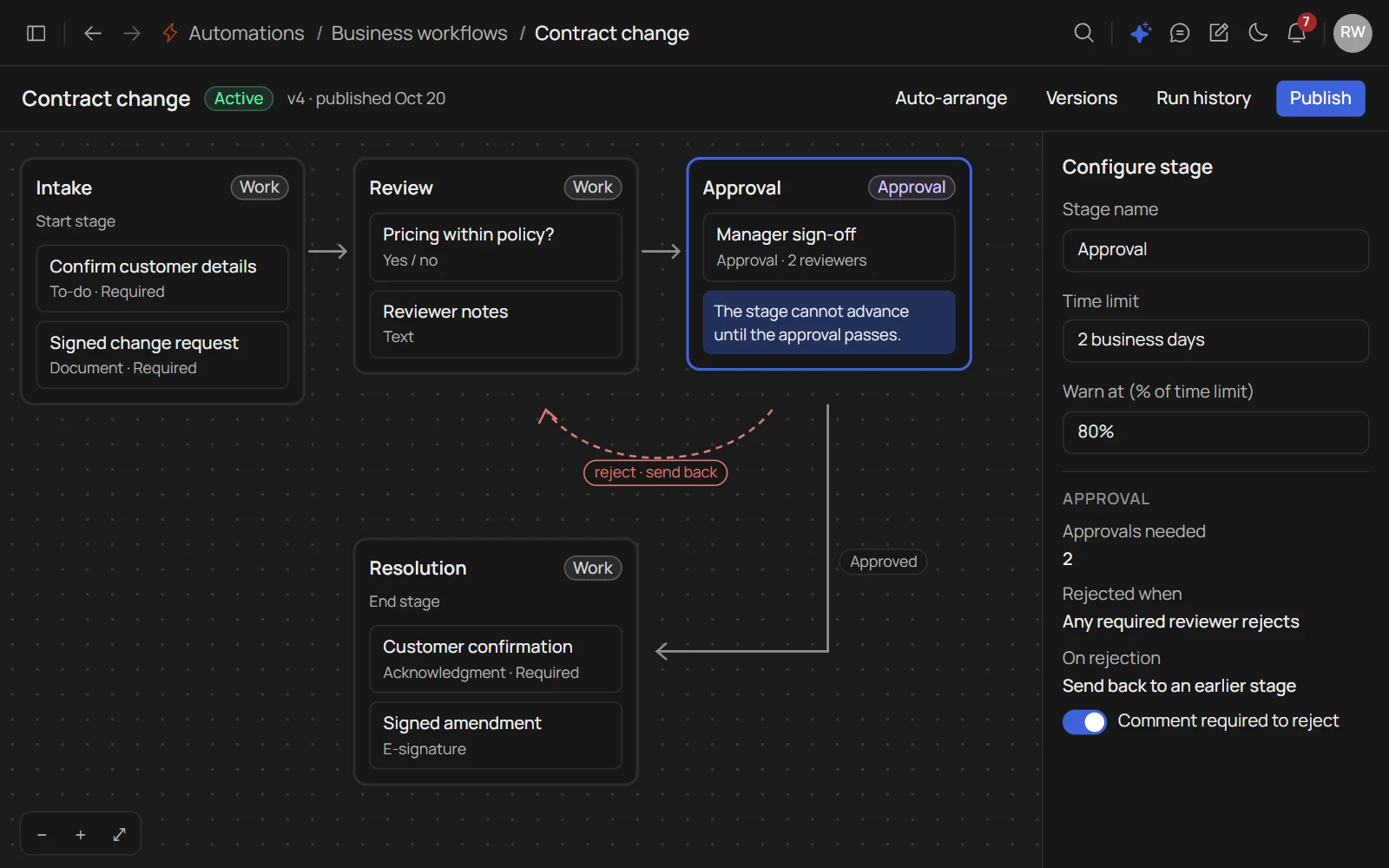
Workflow Automation
Automate repetitive tasks with configurable workflows. Route cases, trigger notifications, enforce approvals, and meet SLAs without manual intervention.
- Rules
- SLA
- Approval
Work your pipeline,
not a spreadsheet.
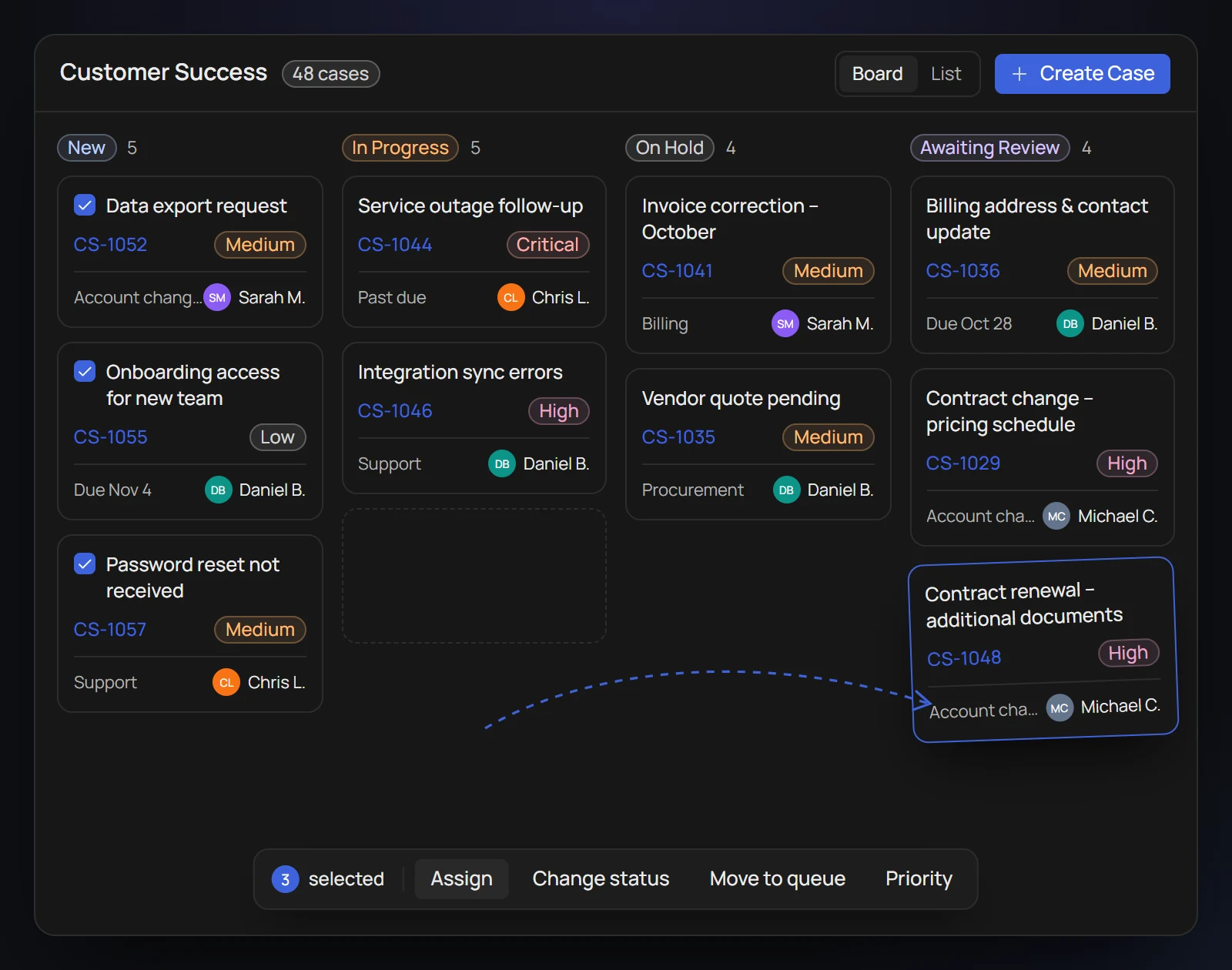
Every open case surfaces in a board your team actually uses — with the controls to move work, not just track it.
- Stage-gated workflowCases can't skip required reviews — every transition enforces the policy.
- Bulk assign & reassignReassign across investigators in one click — no one-by-one grinding.
- Auto routing rulesMove intake to the right queue automatically — no manual triage.
One record.
The whole story.
Every intake field, every note, every upload, and every stage transition lives on a single case record — so nothing is reconstructed after the fact.
- Full audit log
- Interaction notes
- Linked cases
Built for
your process.
Every team has different case types, stages, and field requirements. Avikto bends to your taxonomy — without custom code or professional services.
- Custom case types
- Conditional logic
- Validation at stage gates
Filter, sort, and
bulk-act on cases.
Sort by due date, filter by assignee or priority. Reassign hundreds of cases at once. Export for reporting — without pulling a data team in.
- Powerful filters
- Multi-column sort
- Bulk actions
- Export on demand
Bring your worst backlog.
We'll show you the audit trail.
Every action on every case — timestamped, attributed, and immutable.
Exportable for auditors. Defensible under subpoena. Zero reconstruction needed.