Every conversation
in one place.
Email and WhatsApp in one workspace, AI-drafted replies, and support mail that turns into cases or leads on its own.
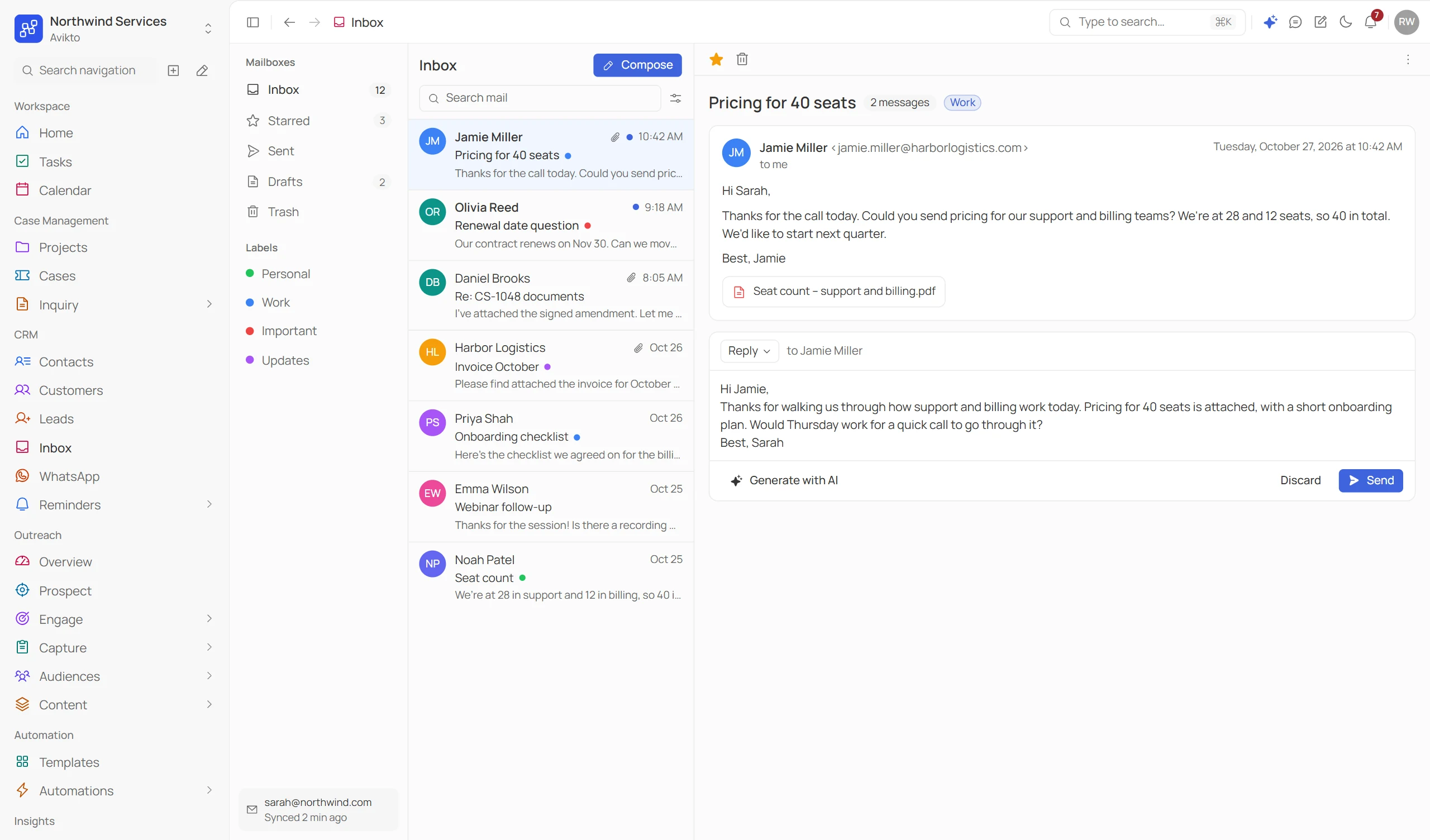
- 2Channels, live today
- 6AI reply tones
- 0Emails stored on our servers
- 1Inbox for every mailbox
From every channel,
to one clean workflow.
Connect once, read and reply in one place, draft with AI, and let support mail turn into work on its own.
/01
Connect
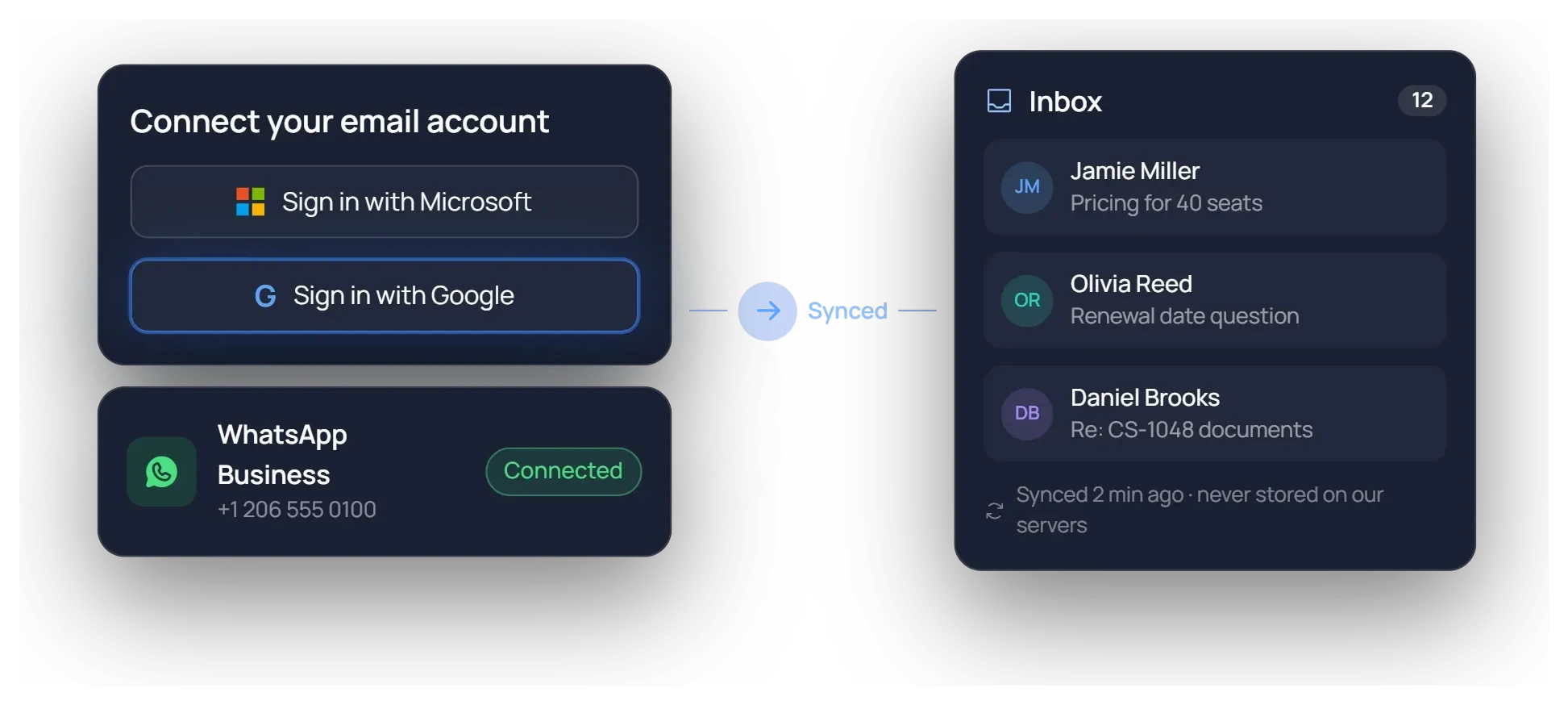
Sign in with Google or Microsoft and your inbox syncs straight from the provider. Add WhatsApp Business with your verified number.
/02
Read & reply
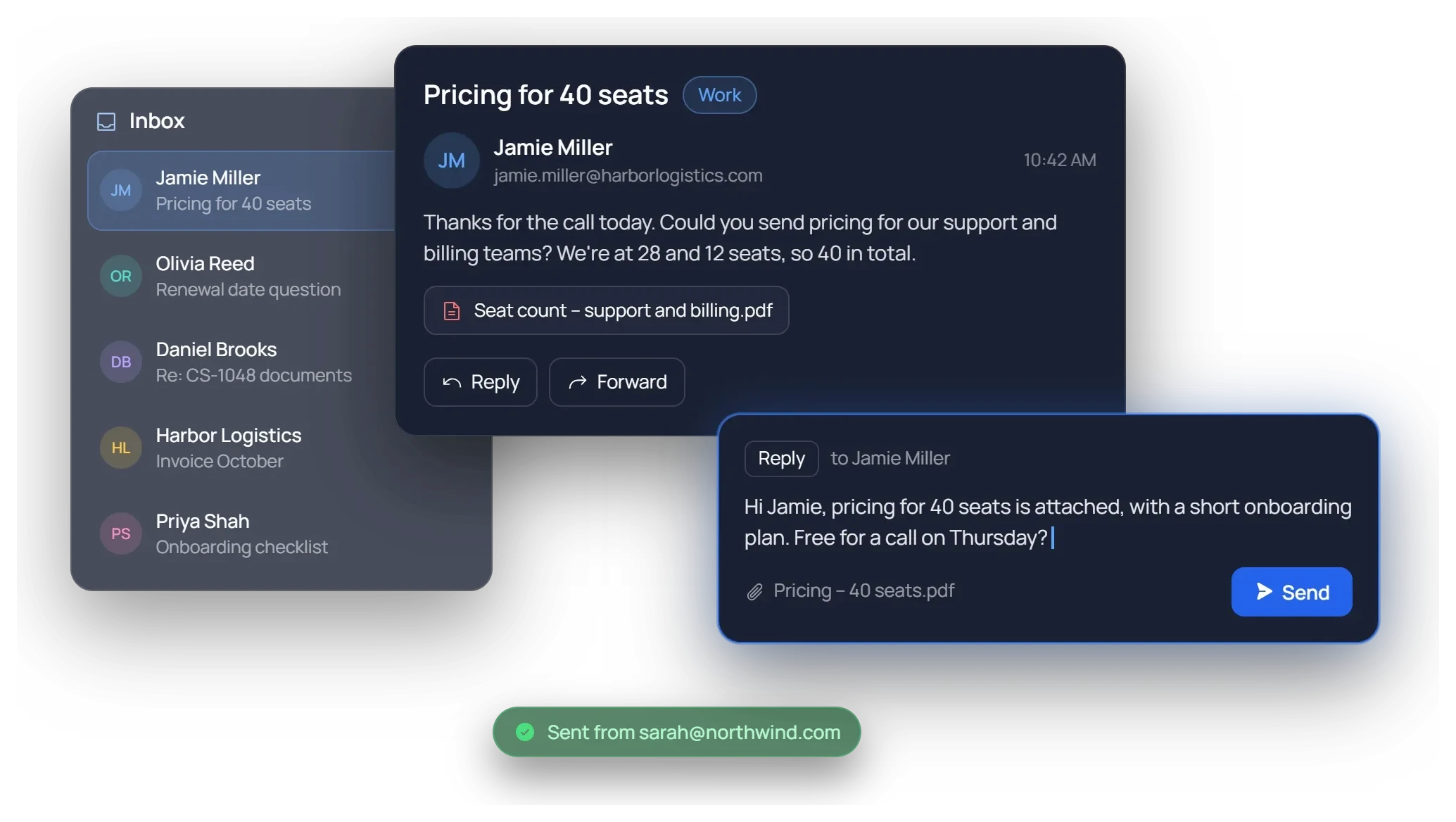
Mailboxes, labels, search and threads in one place. Reply or forward without leaving Avikto.
/03
Draft with AI
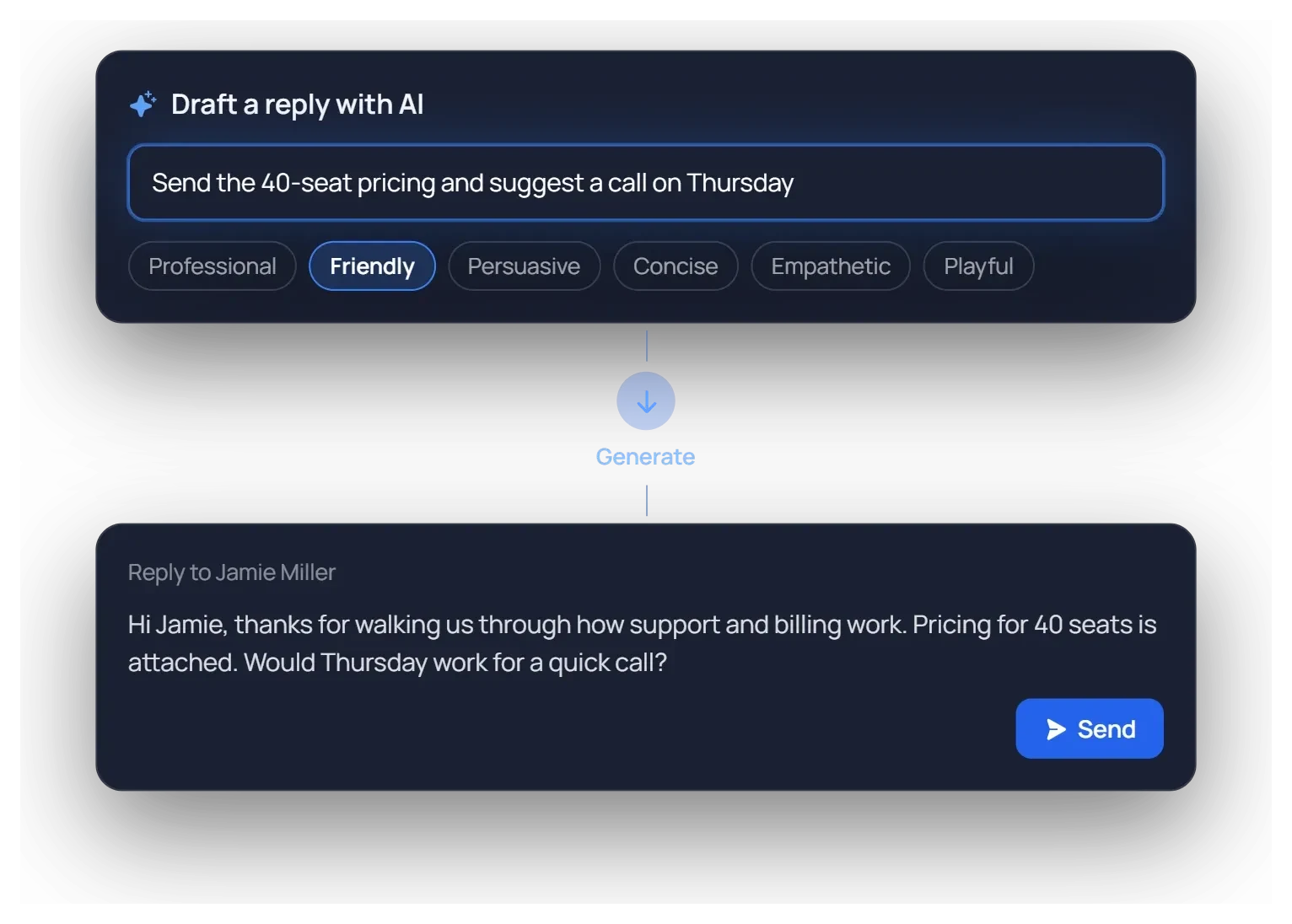
Describe the reply in a line, pick one of six tones, and review the draft before it goes out.
/04
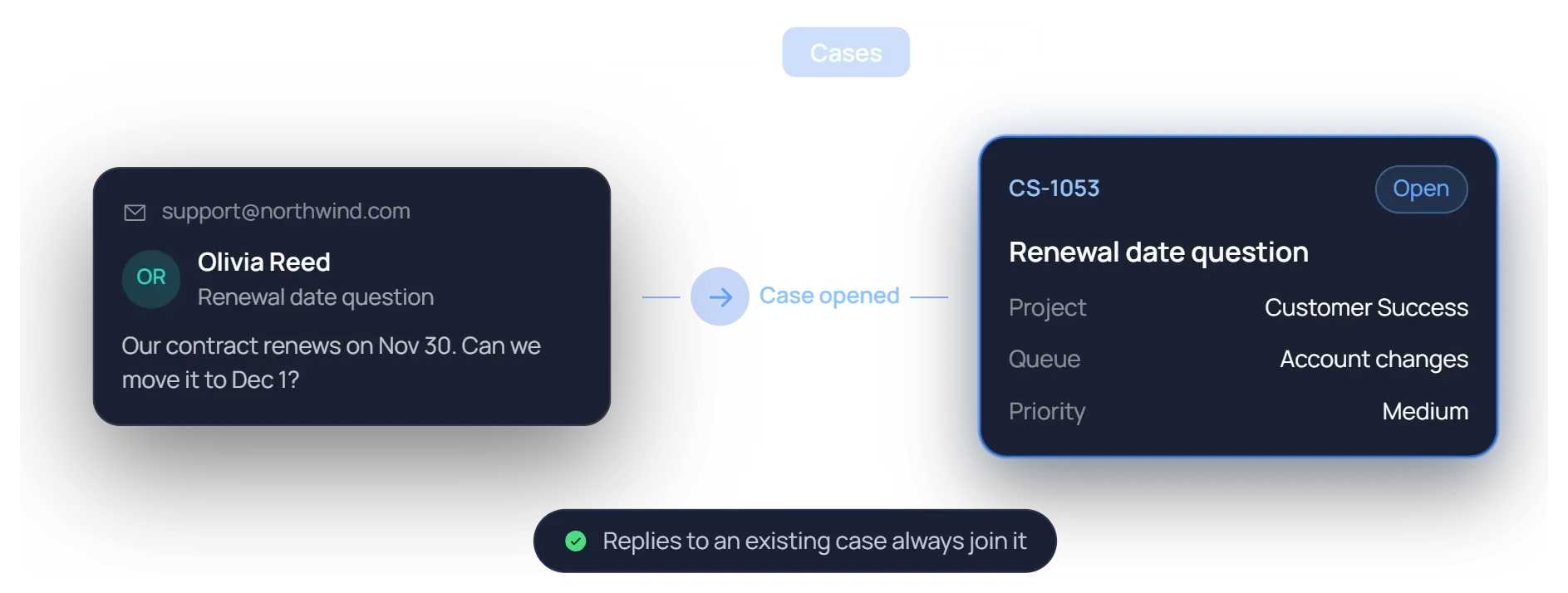
Mail becomes work
Point a support inbox at a project. New mail becomes a case or a lead, and replies join the case they belong to.
Email and WhatsApp, one workspace.
Read, reply and follow up on both without leaving Avikto.
01.
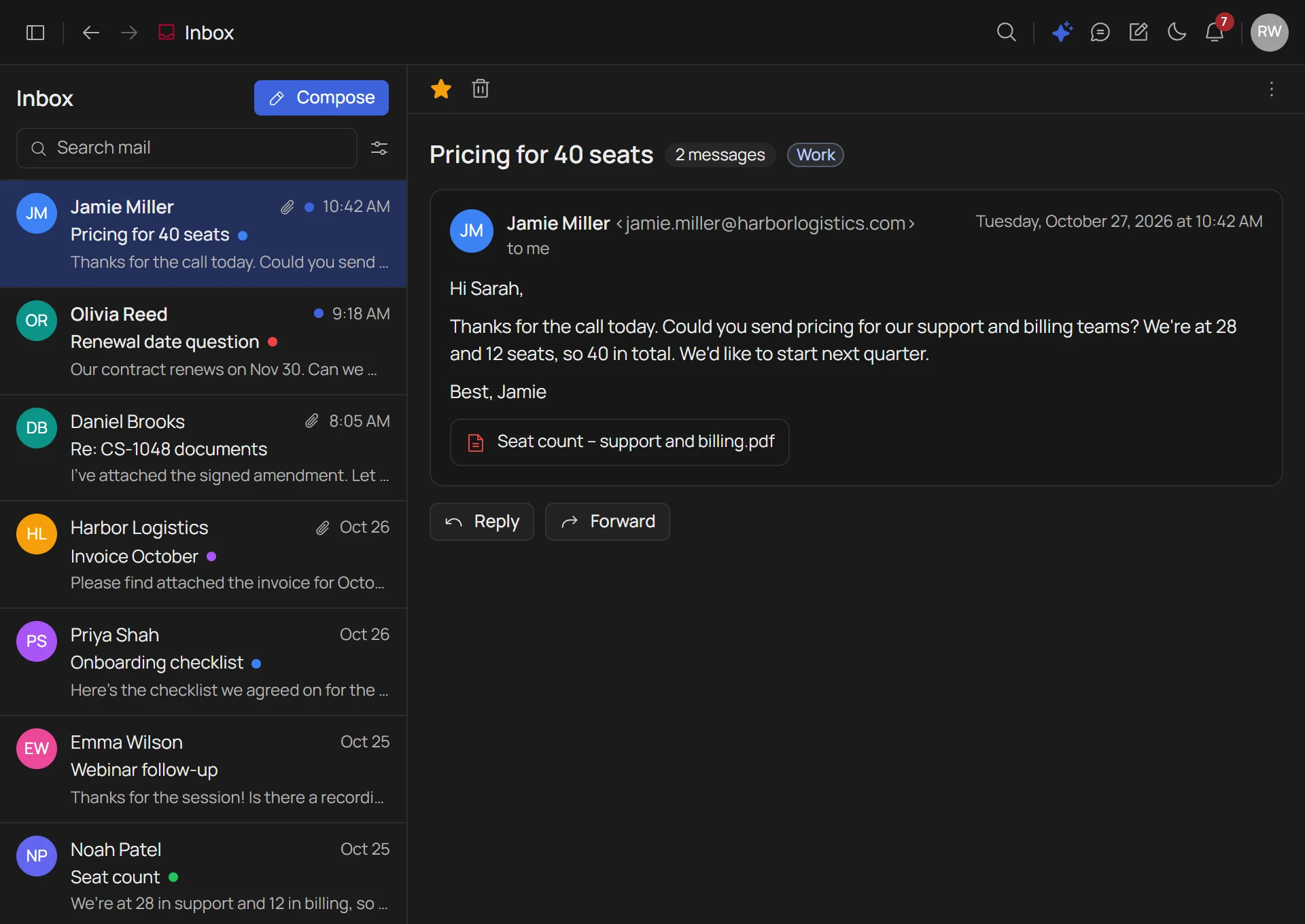
Email, without the tab.
Your Gmail or Outlook inbox inside Avikto. Mailboxes, labels and threads, with search that goes beyond the subject line.
- Synced from your provider - nothing copied, nothing stored on our servers
- Search that digs - from, to, subject, words, attachments
- Reply, forward, star, label - the inbox you already know
02.
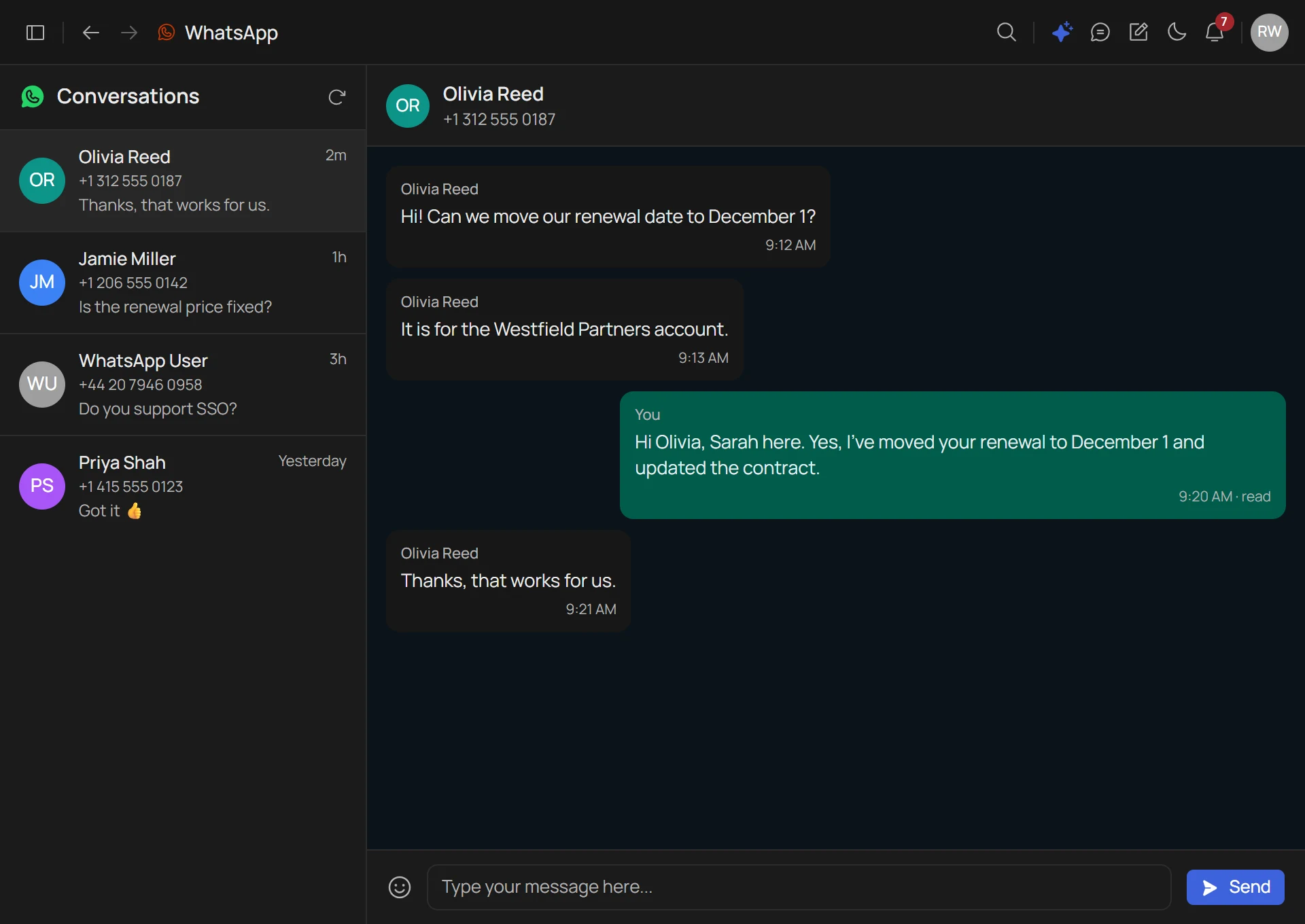
WhatsApp,
from the same workspace.
Reach customers who never open email. Every WhatsApp conversation in one list, from your verified business number.
- WhatsApp Business - your Meta-verified number, connected once
- Every conversation in one list - with the number and the last message
- AI chatbot, optional - answers new chats until a teammate picks them up
Draft in your team's tone.
Ship in seconds.
Describe the email in plain English. Pick a tone. Review the draft and send it from your own mailbox.
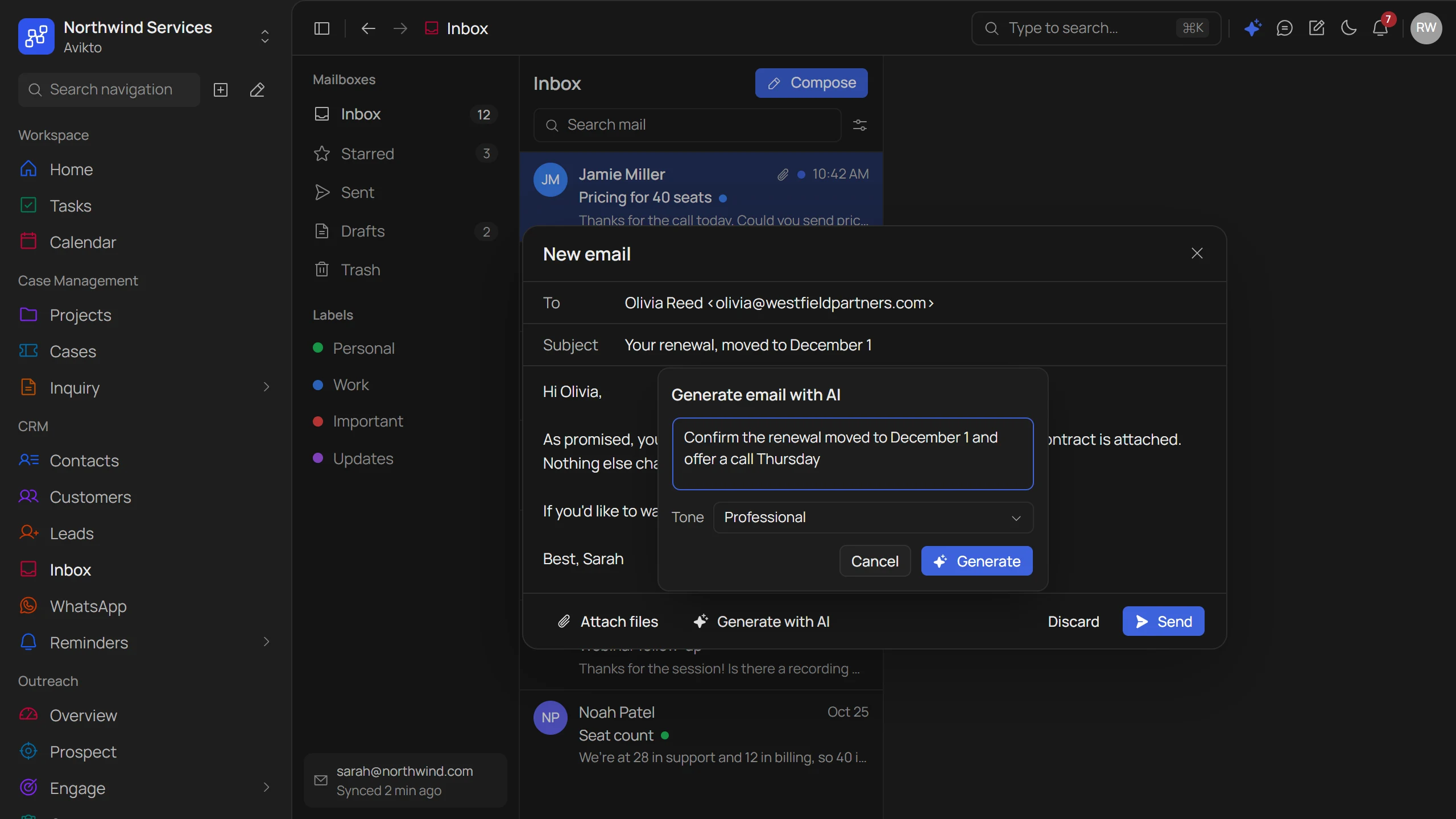
- One line inDescribe what the email should say. The AI writes the whole draft.
- Tone controlProfessional, Friendly, Persuasive, Concise, Empathetic or Playful.
- You press SendEvery draft lands in your composer to edit. Nothing goes out on its own.
From the first message,
to the right record.
Support mail opens cases and leads on its own, replies are drafted in seconds, and files are shared securely.
Message in
Email syncs from Gmail or Outlook. WhatsApp arrives from your verified business number.
Becomes a case
Mail to a support inbox opens a case in the right project and queue. Replies join the case they belong to.
Or a lead
Mail from someone new becomes a lead. Mail from an existing lead, contact or customer is matched to them.
Drafted + sent
The AI drafts in the tone you pick, you review it, and it goes out from your own mailbox.
Files shared
Request or share files from a record, with an Email OTP check. Customers upload without a login.
Answered after hours
An optional AI chatbot replies to new WhatsApp chats until a teammate picks them up.
Everything you'd ask
before switching.
Which channels are supported today?
Email and WhatsApp Business. Connect Gmail or Microsoft 365 (Outlook) for your own inbox, and Google Workspace, Microsoft 365, your own mail server or forwarding for shared support inboxes. WhatsApp needs a Meta-verified WhatsApp Business number.
Does Avikto store my email?
Your personal inbox syncs directly with Gmail or Outlook. Messages are read from your provider and are never stored on our servers.
Can incoming mail become cases or leads?
Yes. Point a support inbox at a project and choose what new mail becomes. As cases, every email opens a case and replies join the case they belong to. As leads, mail from someone new becomes a lead and mail from an existing lead, contact or customer is matched to them by email address.
Does the AI send messages on its own?
No. You describe the email, pick a tone, and the AI writes a draft. You review it and press Send yourself.
What happens to WhatsApp messages outside working hours?
An optional AI chatbot can answer new WhatsApp conversations until a teammate picks them up, and hands over to a person after a set number of unanswered replies.
Bring every conversation into one inbox
Book a walkthrough of the unified inbox, AI composing, and WhatsApp — set up for your team.