Notes
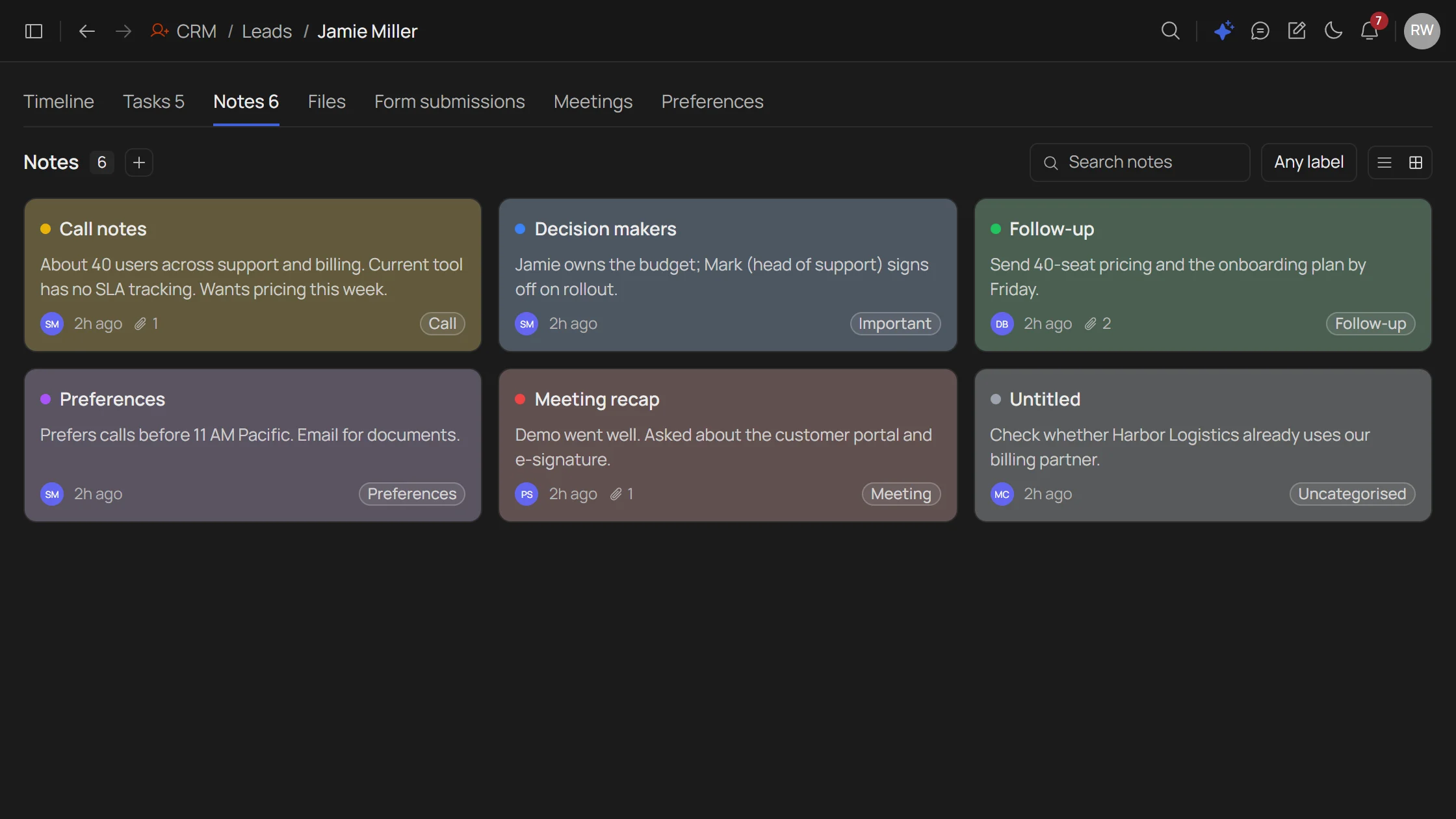
Color-coded notes from every call.
- Quick color-coded notes, capture a call before it’s forgotten
Leads get captured, scored, and worked. Conversions create a contact and a customer automatically. Nothing waits. Nothing slips.
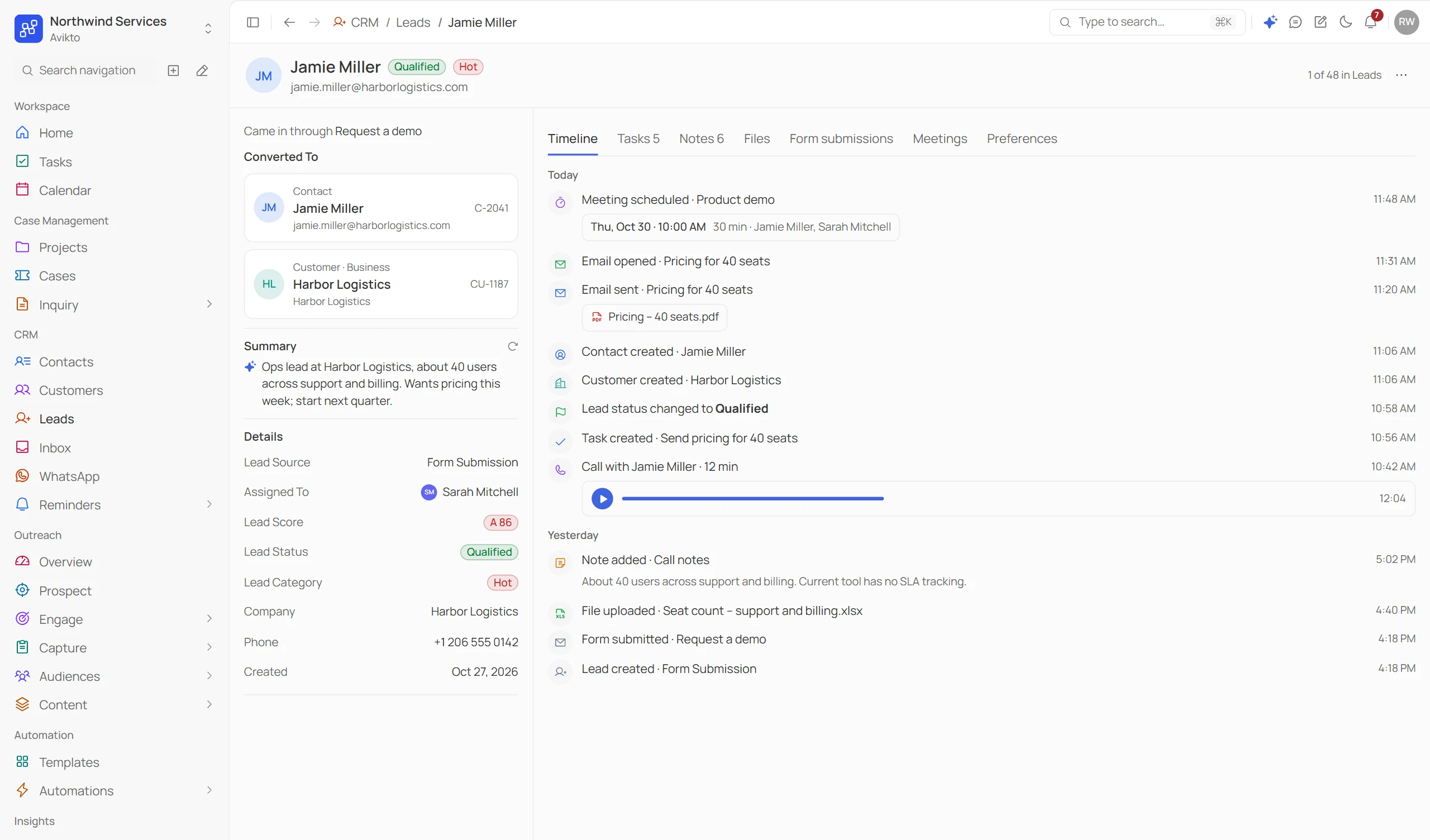
The path every lead follows, without a rep having to lift a finger, until it's time to close.
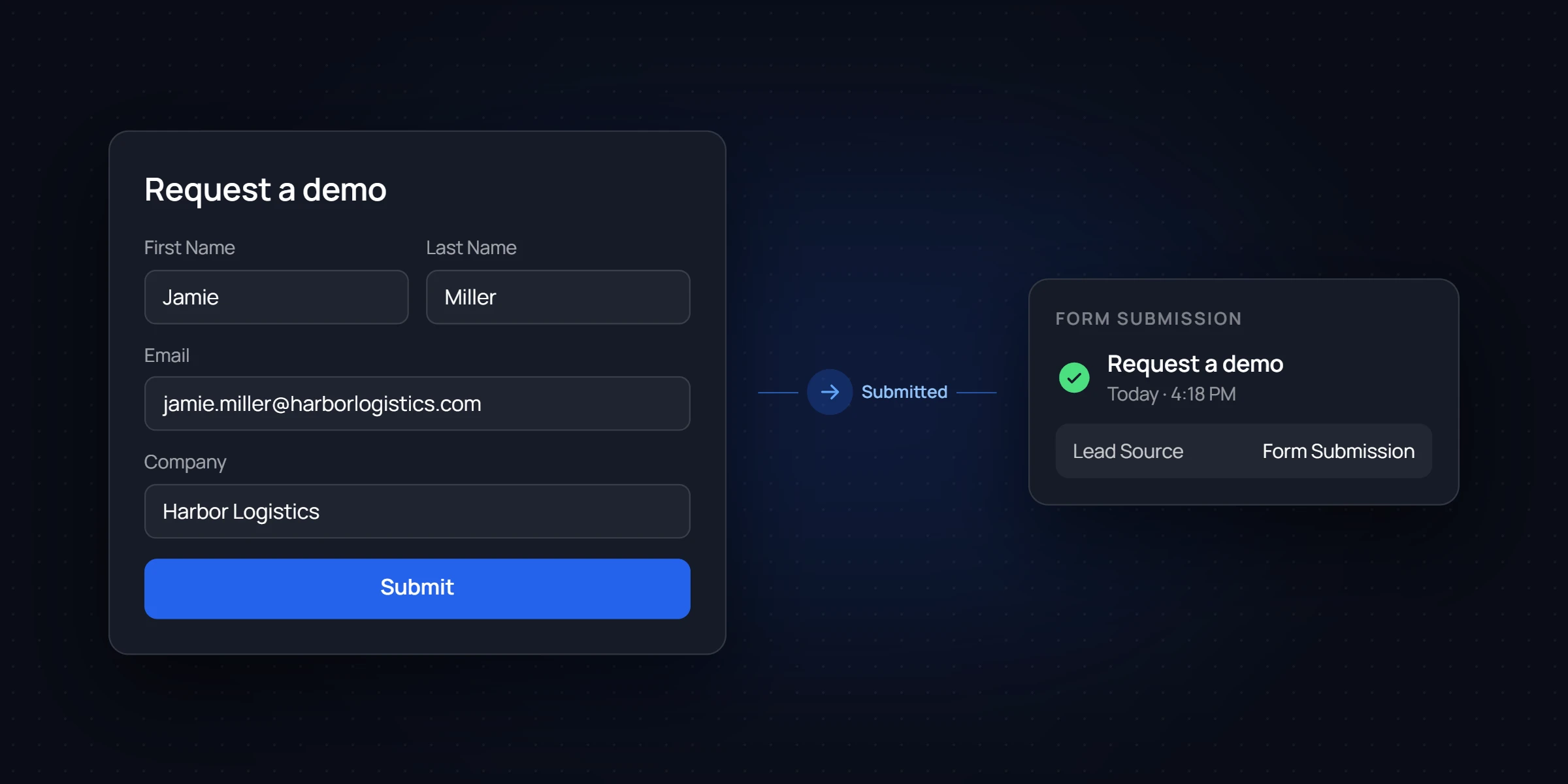
Public form capture. No login. Fields you define, on your domain.
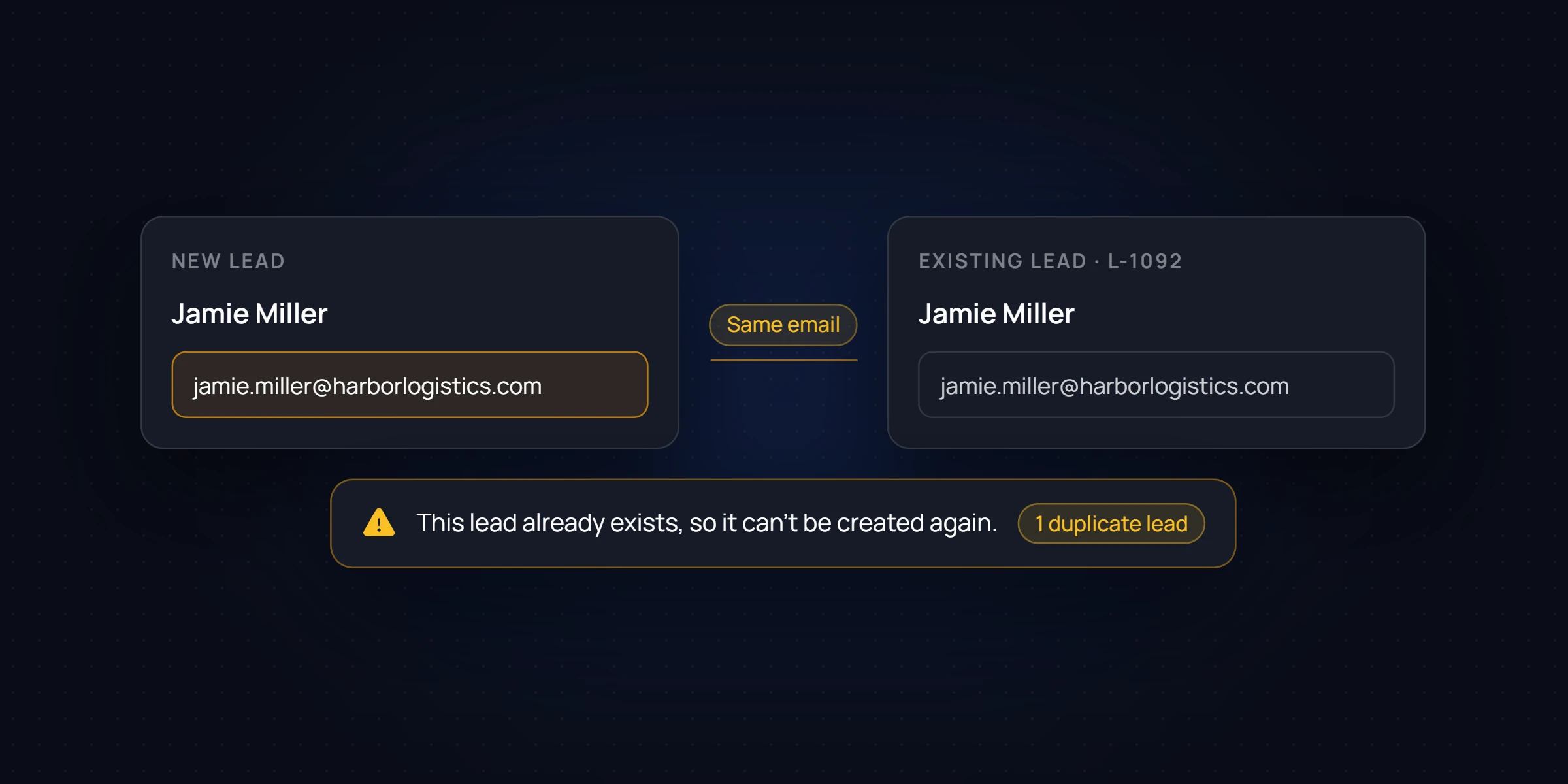
A matching email or phone is flagged before saving — no duplicate lead created.
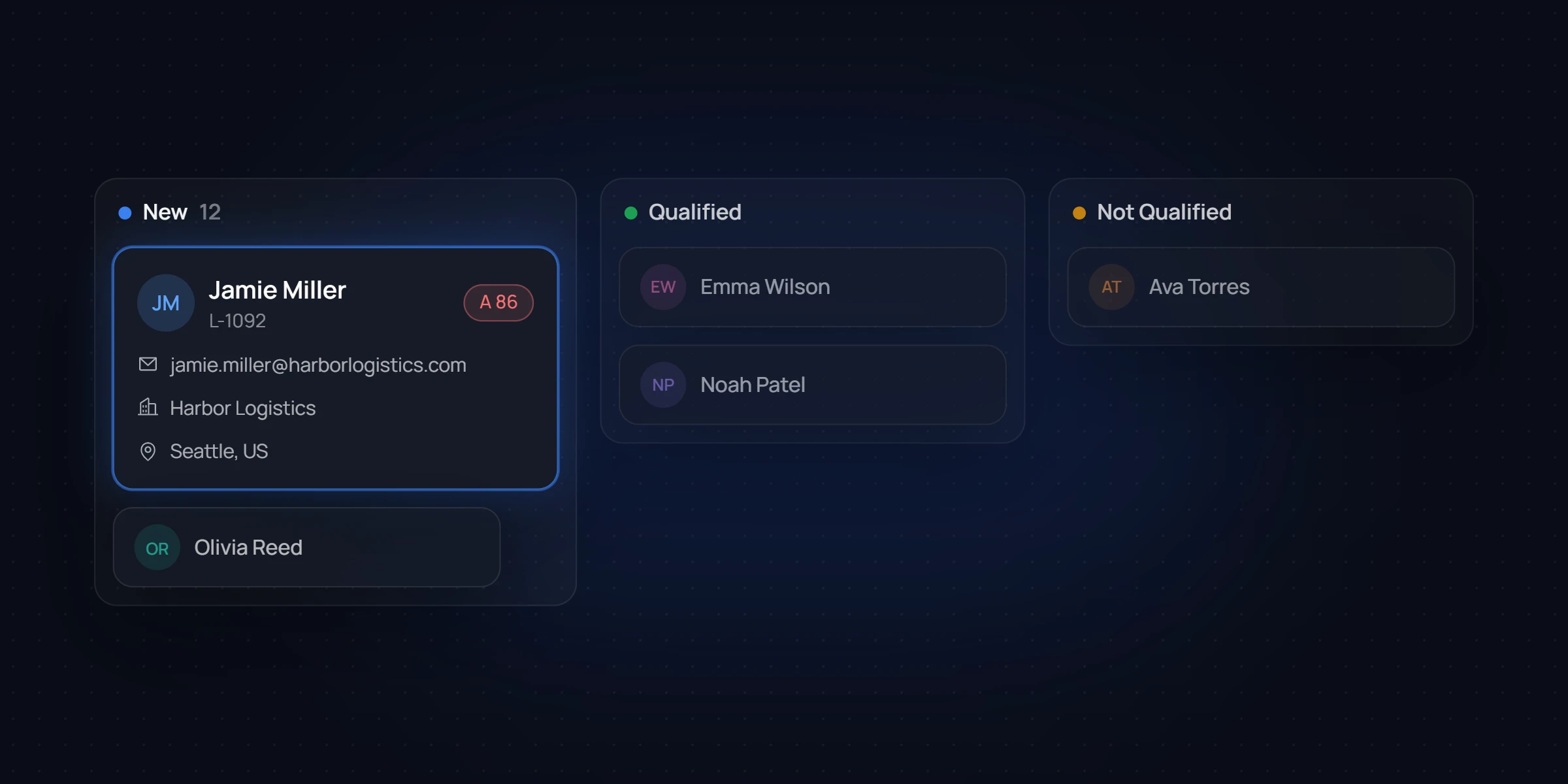
Scored and graded on your criteria. Staged as New until a rep picks it up.
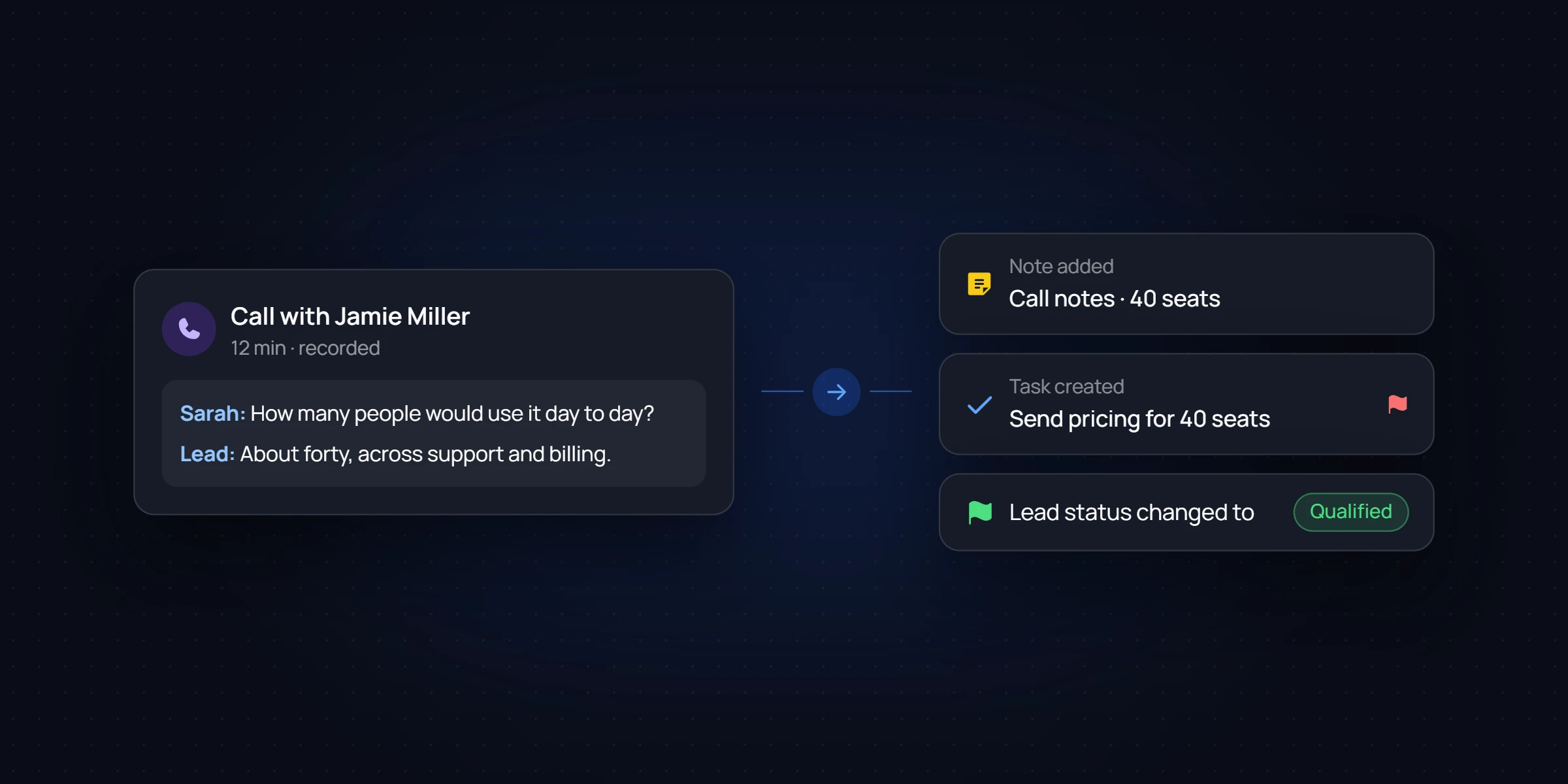
A call confirms fit. Notes and tasks logged straight from the conversation.
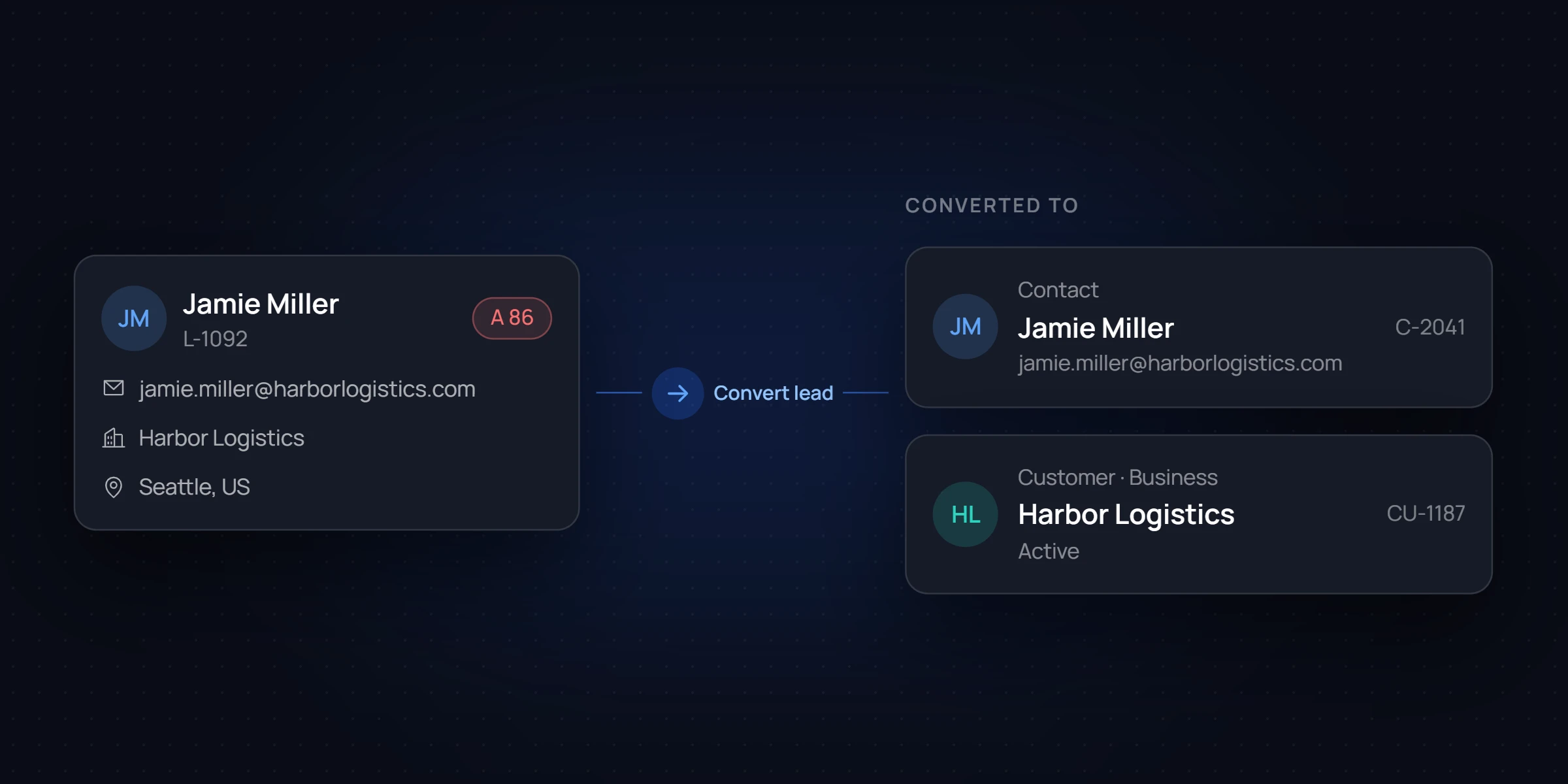
Contact and customer records created together. Nothing re-entered.
The way your team already thinks about them - scoped, staged, and connected.
Every lead, staged and scored. Table view for scanning, pipeline view for working a queue. Same data, switch anytime.
One conversion. Two records. Zero re-entry.
A record layout each rep sets up their own way.
Notes, next-step tasks, and follow-up drafts — generated from the call, in your team's voice. Every AI suggestion is reviewed before it ships.
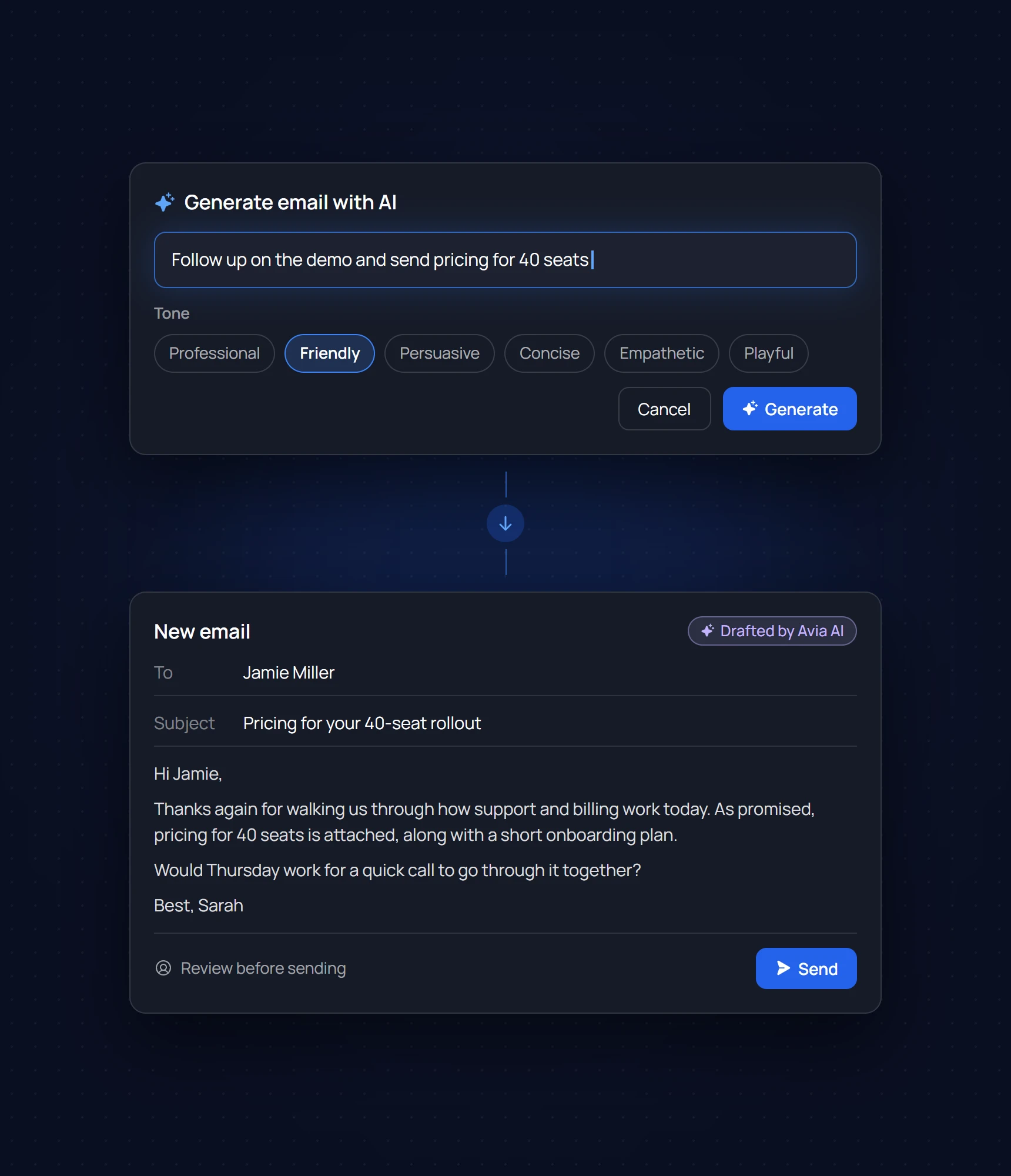
The full context on every lead, contact, and customer - quick to add, easy to find later.
Color-coded notes from every call.
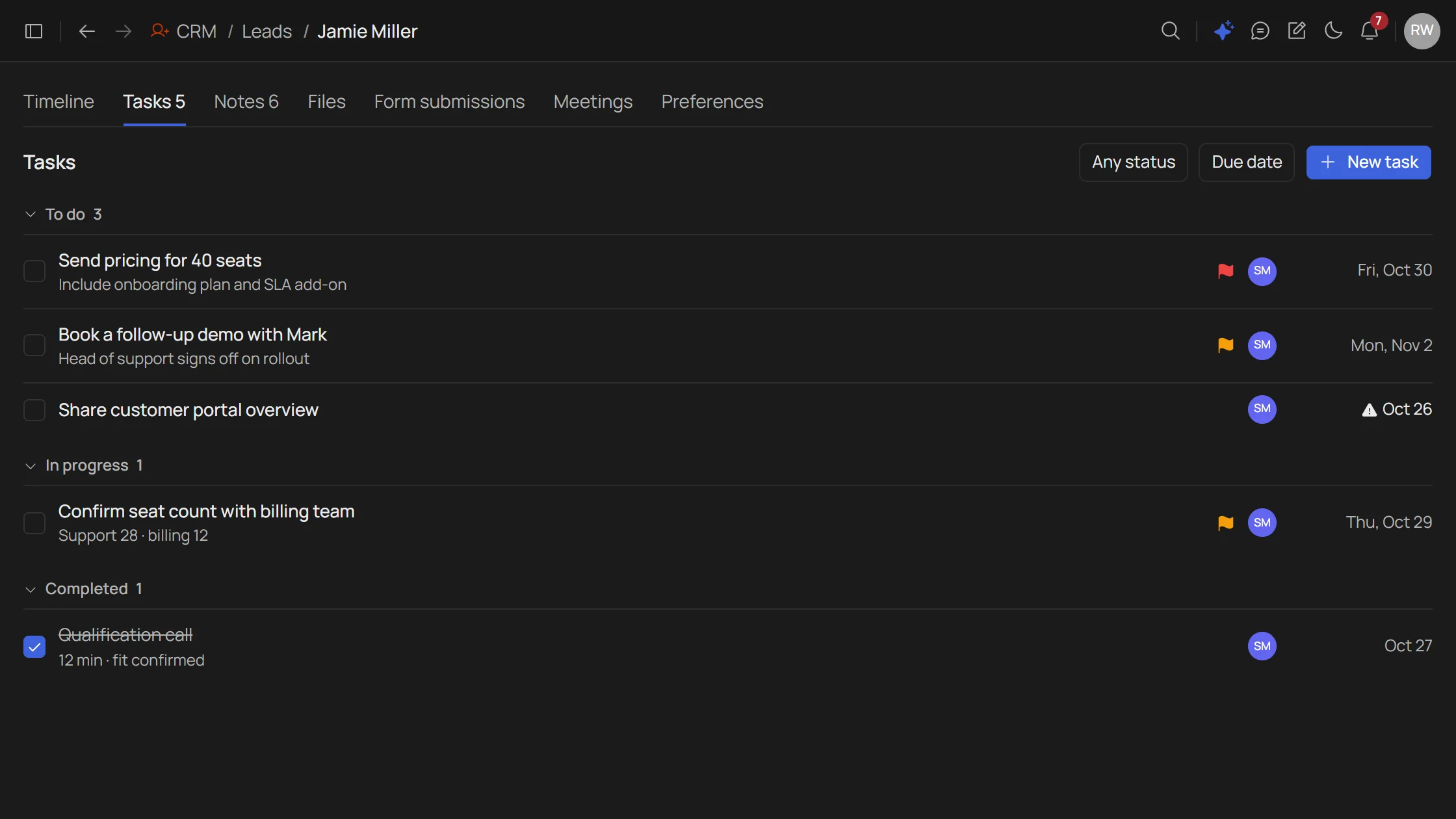
Priority tasks with due dates, all templated.
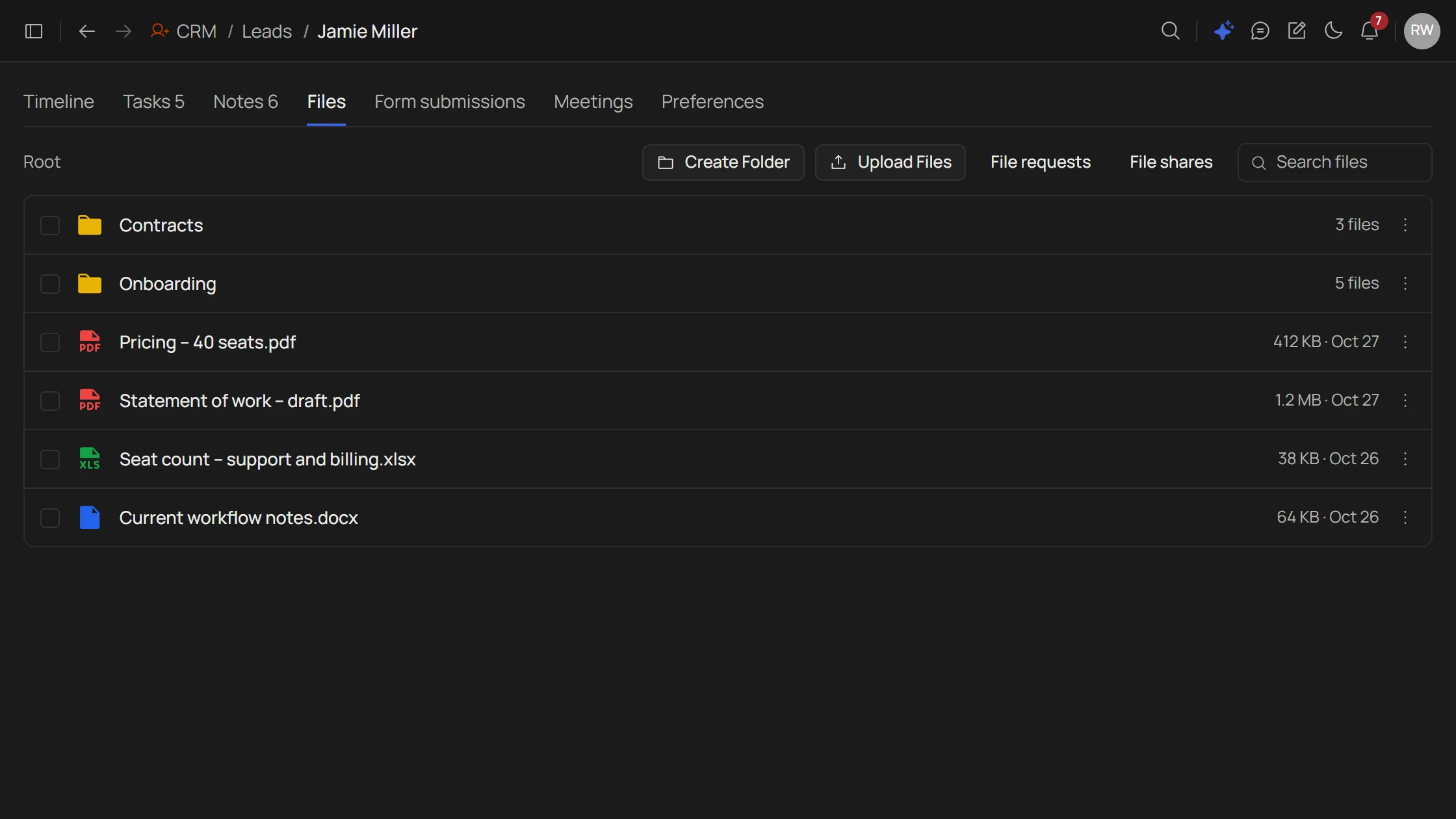
Request files via a private OTP-verified link, no login needed.
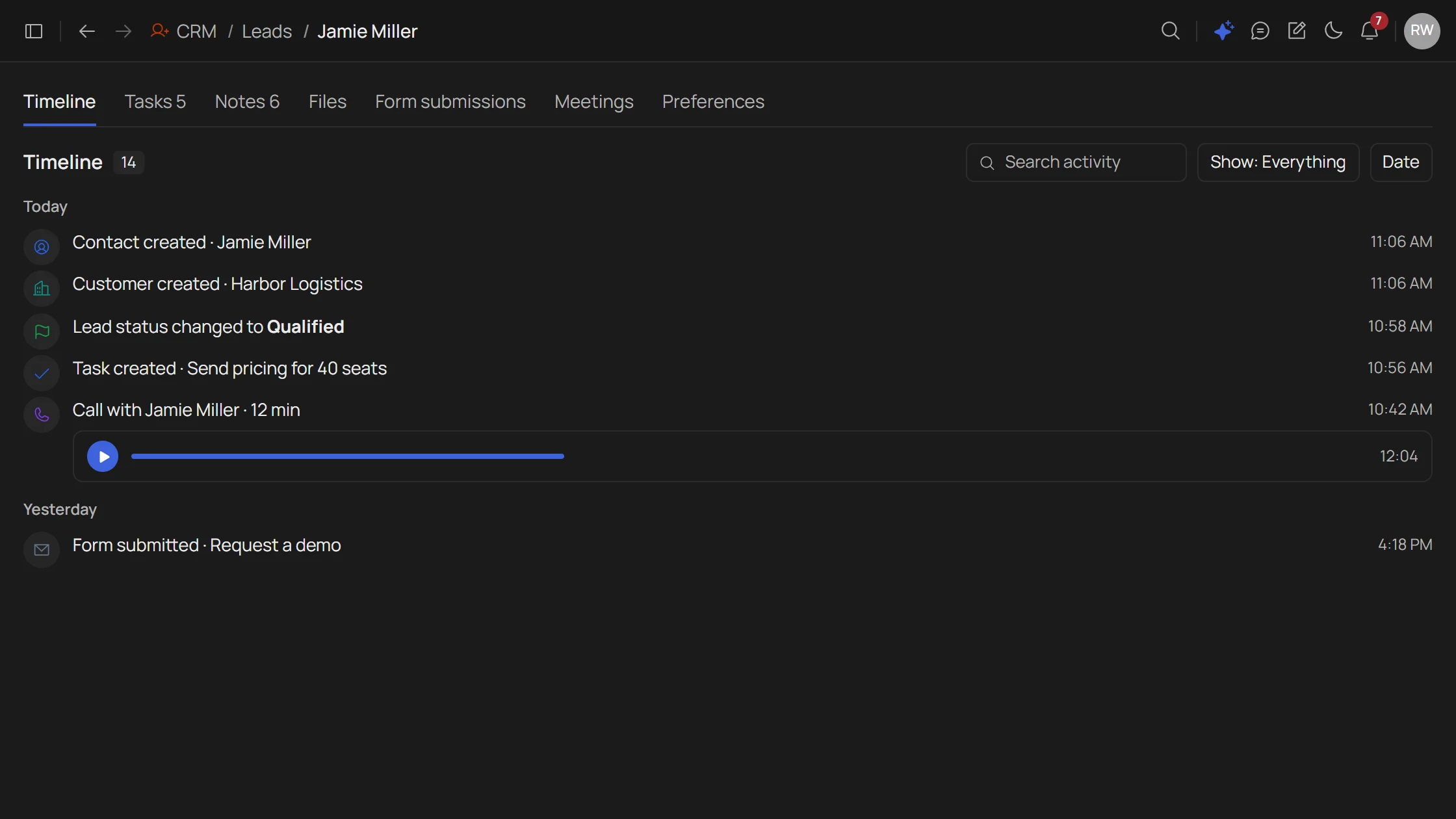
Every note, task, and stage change writes to the timeline.
Two things every sales manager checks first - who's carrying too much, and what's about to slip.
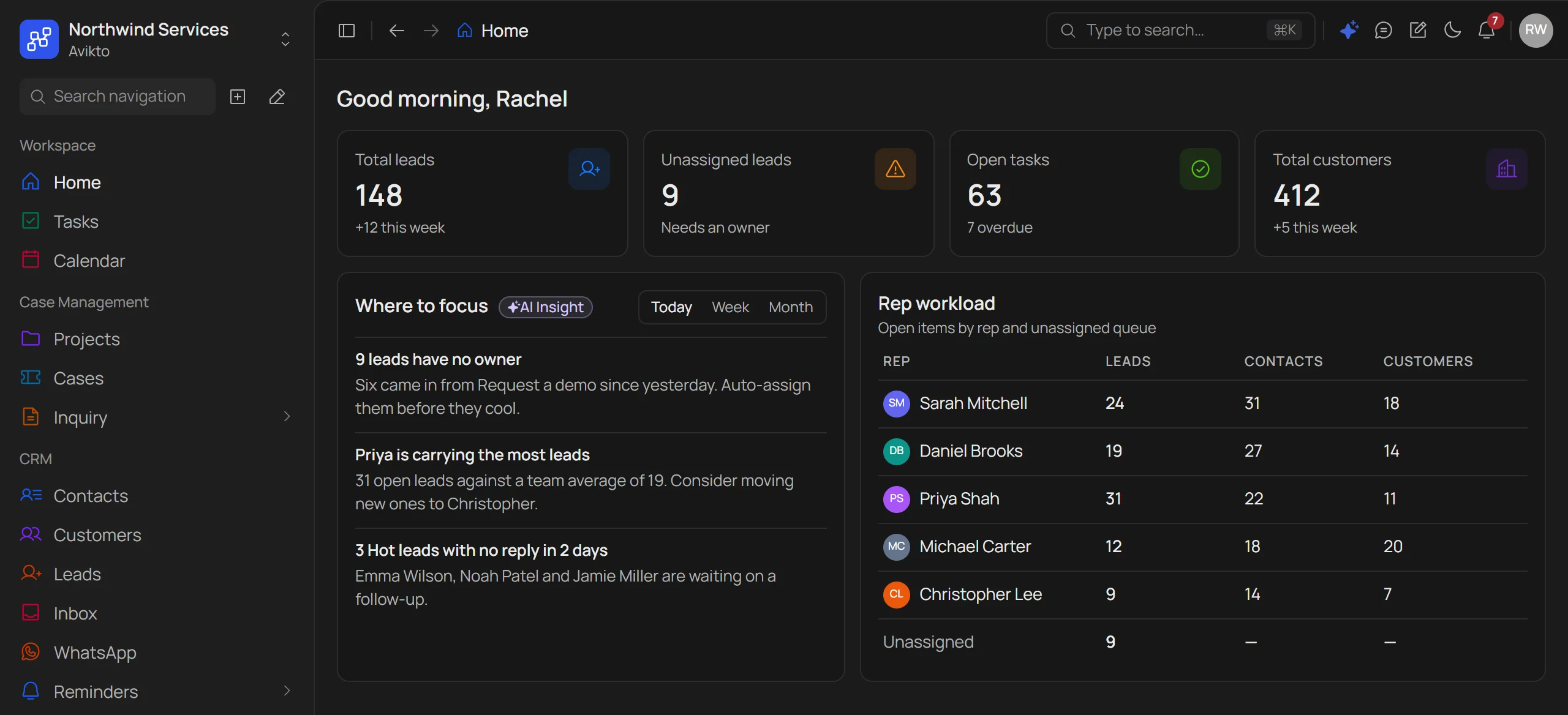
Most CRMs track records. Avikto tracks who owns it, how long it's been sitting, and when it needs attention.
| Capability | Avikto CRM | Legacy CRM | Spreadsheets |
|---|---|---|---|
| Duplicate-safe lead capture | |||
| Auto-creates contact + customer on conversion | Manual | ||
| OTP-verified file requests | |||
| Per-user configurable record layout | |||
| Rep workload view & hard SLA alerts | |||
| Full audit trail on every record | Partial |
Book a walkthrough of the unified inbox, AI composing, and WhatsApp — set up for your team.