01.
AI Workflow Summary
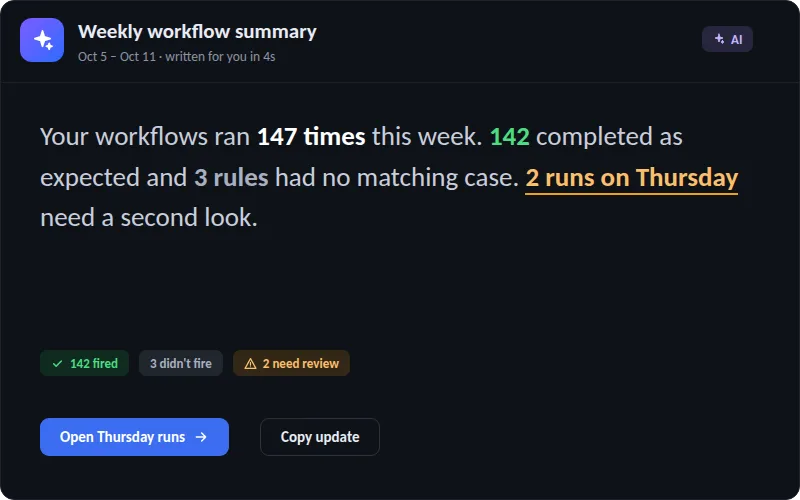
Turn a week of automation runs into a clear written update — what fired, what didn’t, and what needs a second look.
- Running
- Needs Review
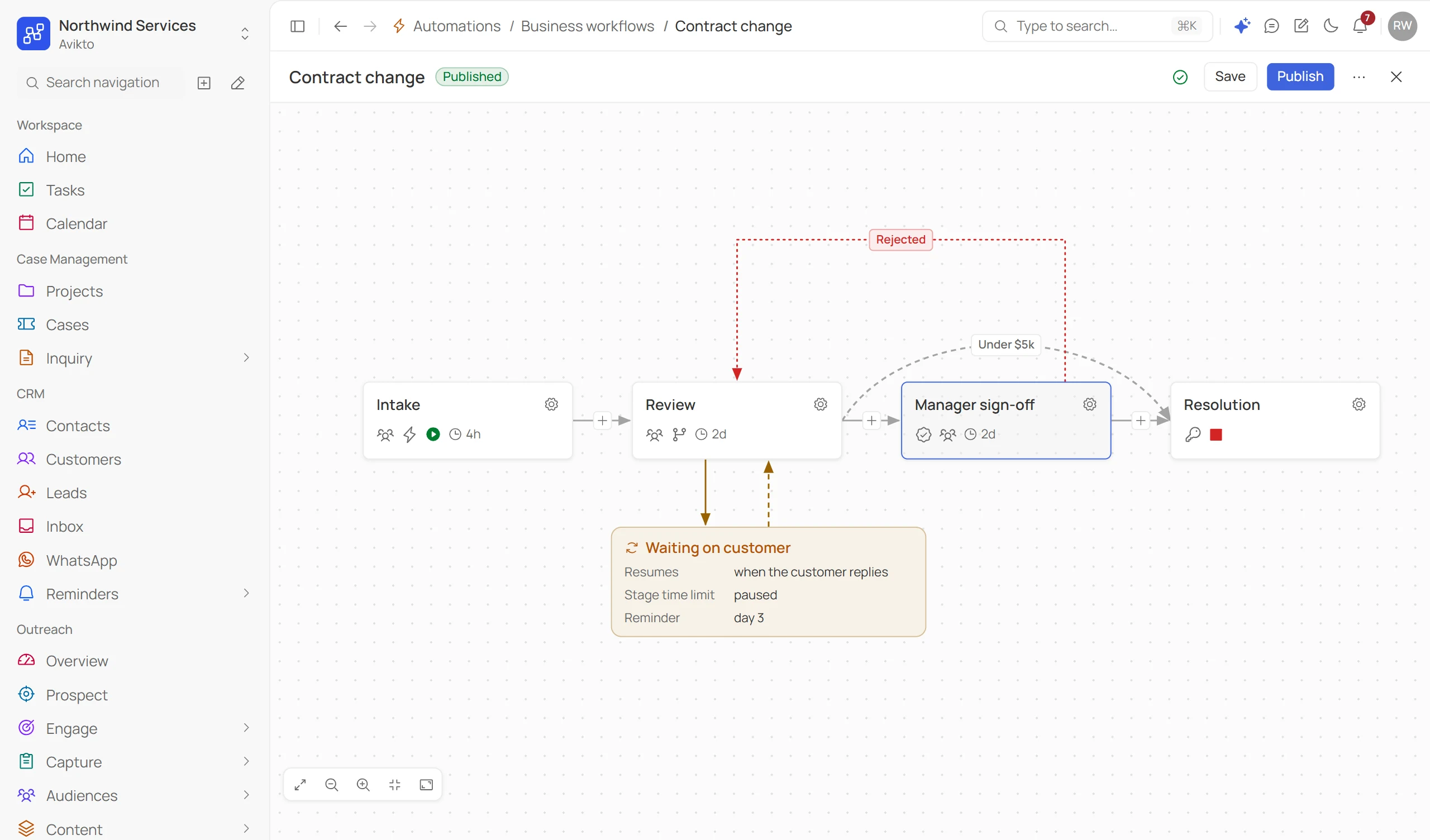
Approvals route themselves, provisioning fires on its own, and every case moves through the exact stages you defined - no manual triage, no forgotten approvals.
New work goes straight to the queue it belongs in — the intake form decides, not a person triaging every morning.
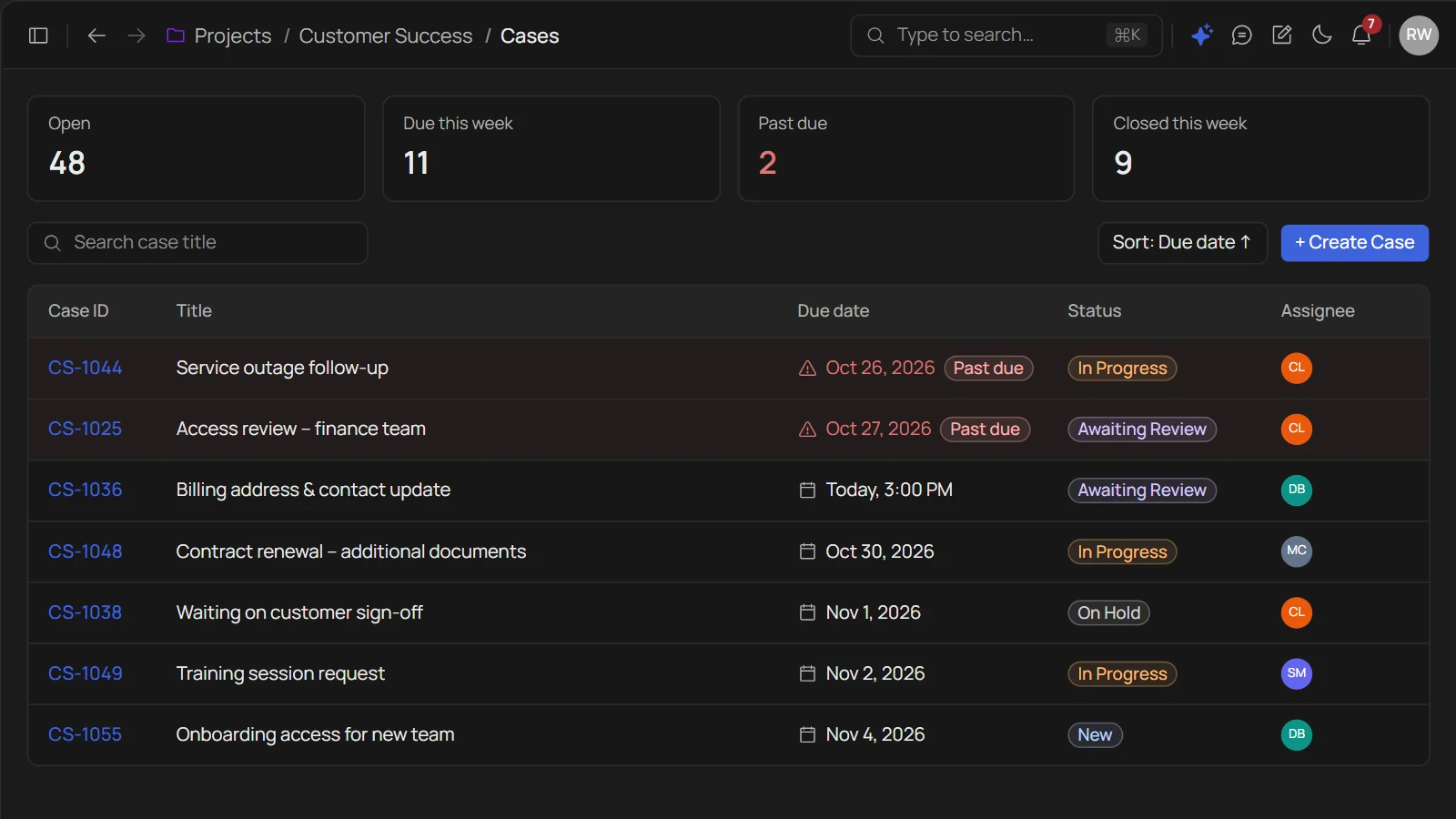
Every case carries a due date the dashboard watches — past-due cases surface on their own, no manual chasing.
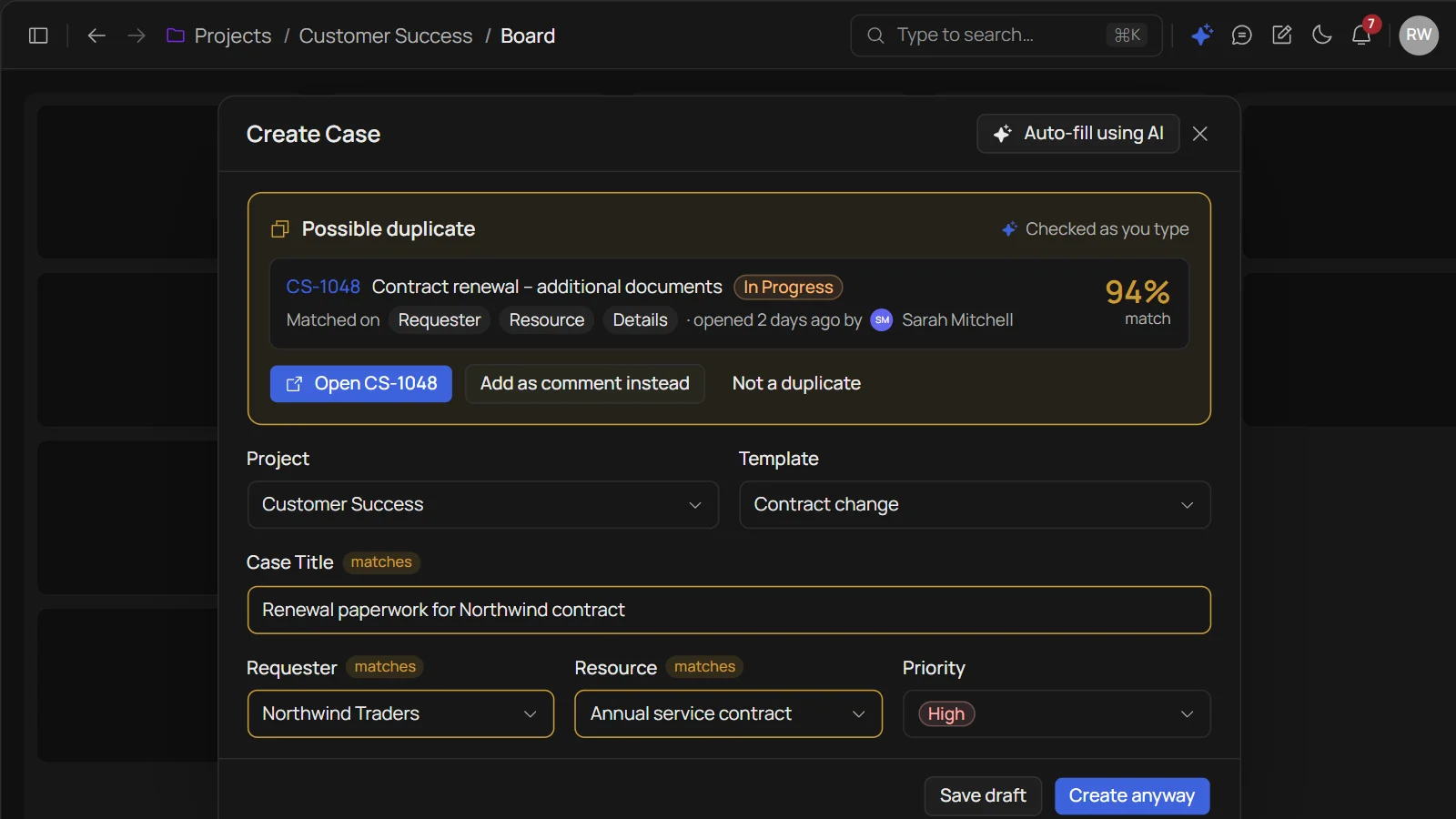
Flags likely duplicate cases the moment they’re created — comparing requester, resource, and details before the second case even gets a number.
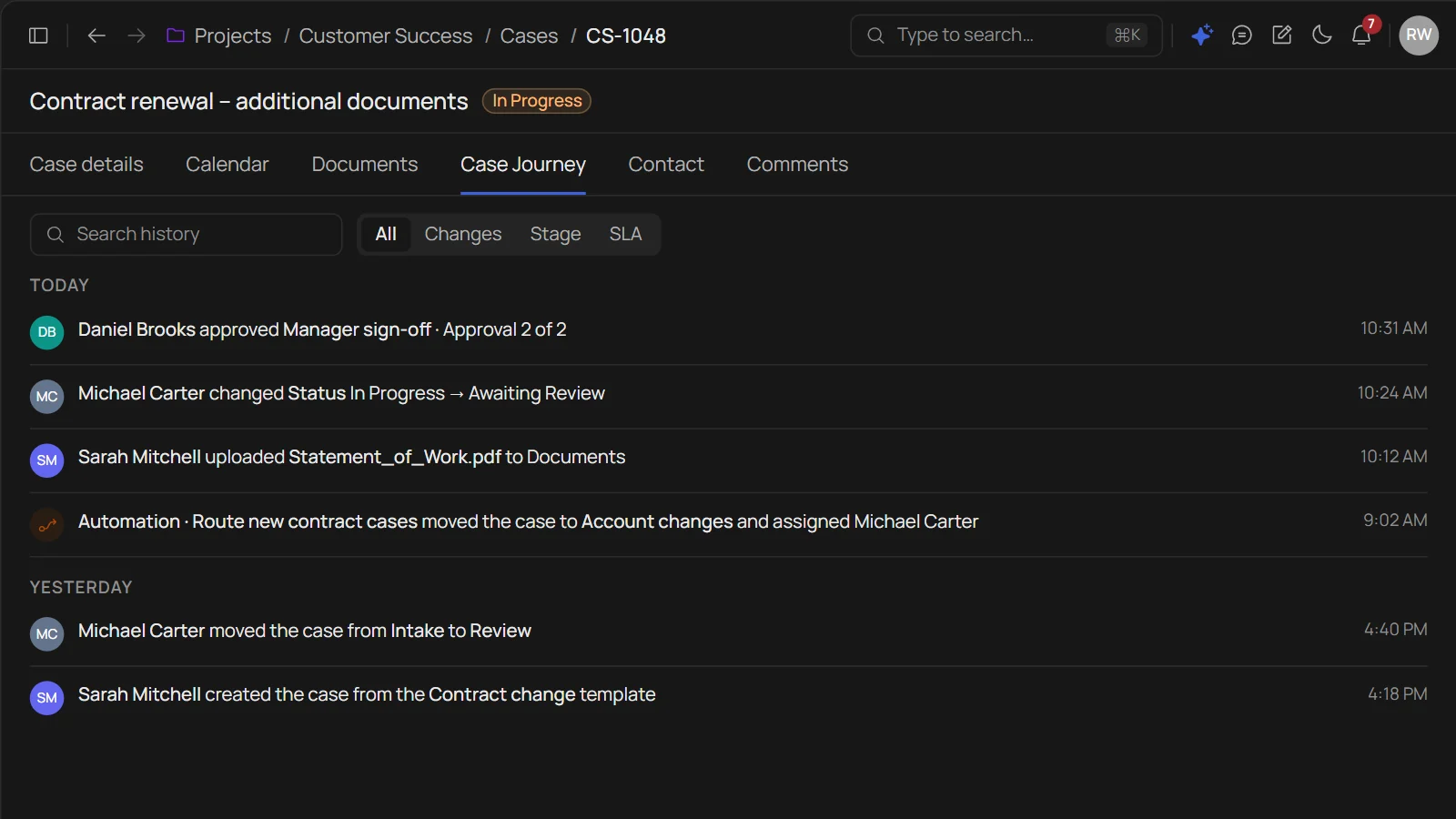
Every step a case took is reconstructed automatically — who touched it, when, and what changed, no manual logging.
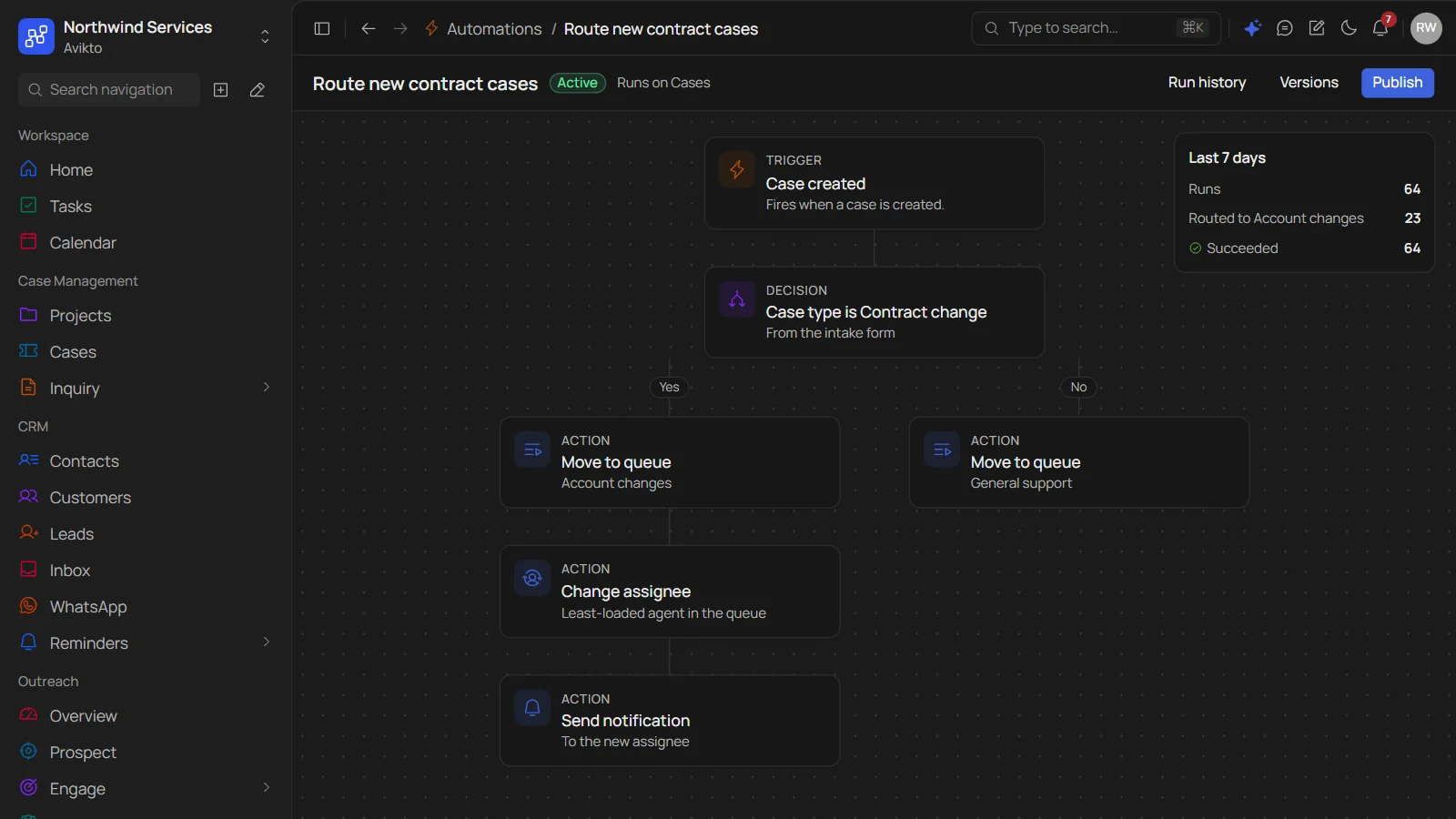
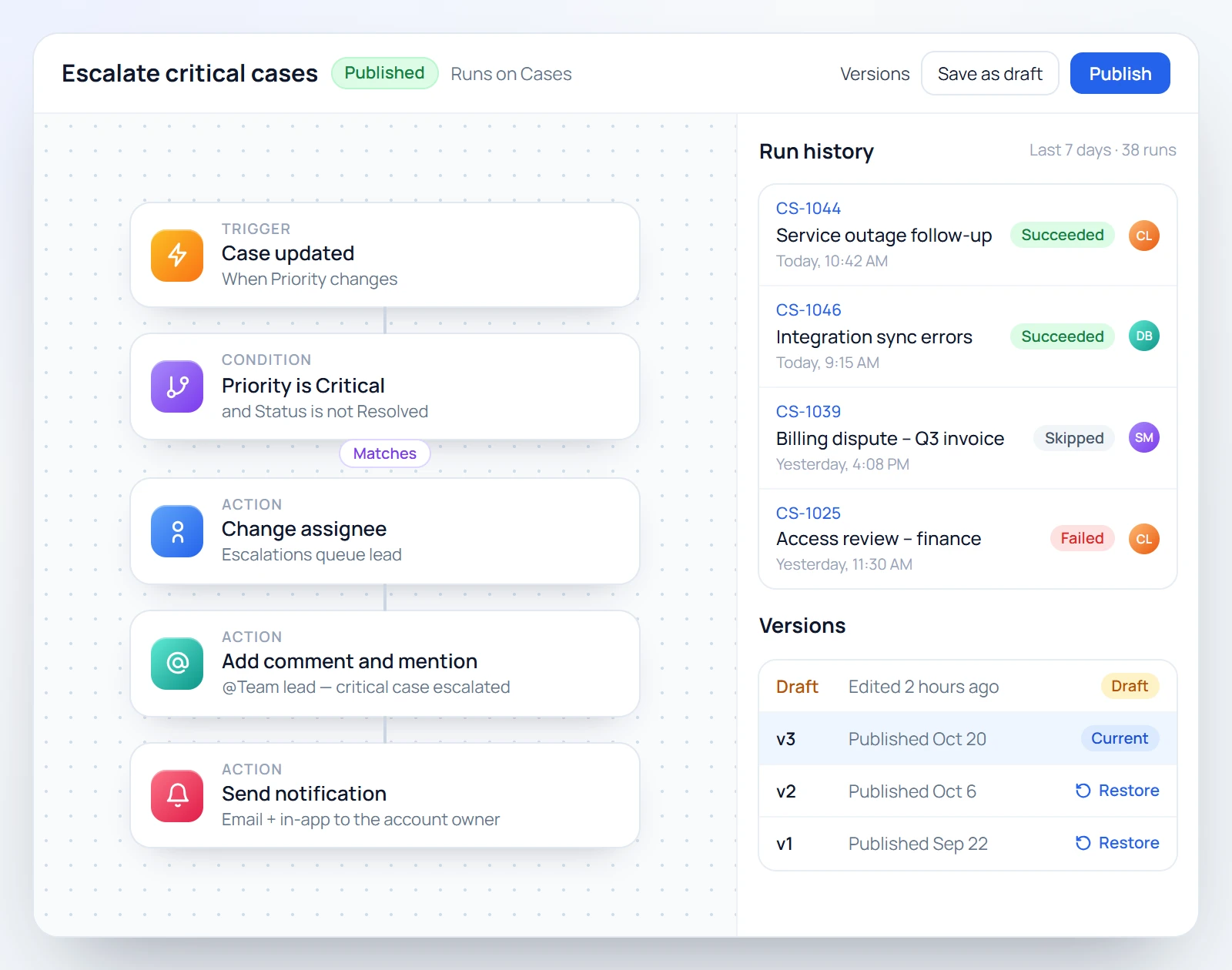
Automations run the moment a case matches - no dashboard to babysit, no one has to remember to check.
observability
Once a workflow is live, every run is logged - pause, inspect, or adjust the rule without touching active cases.
Turn a week of automation runs into a clear written update — what fired, what didn’t, and what needs a second look.
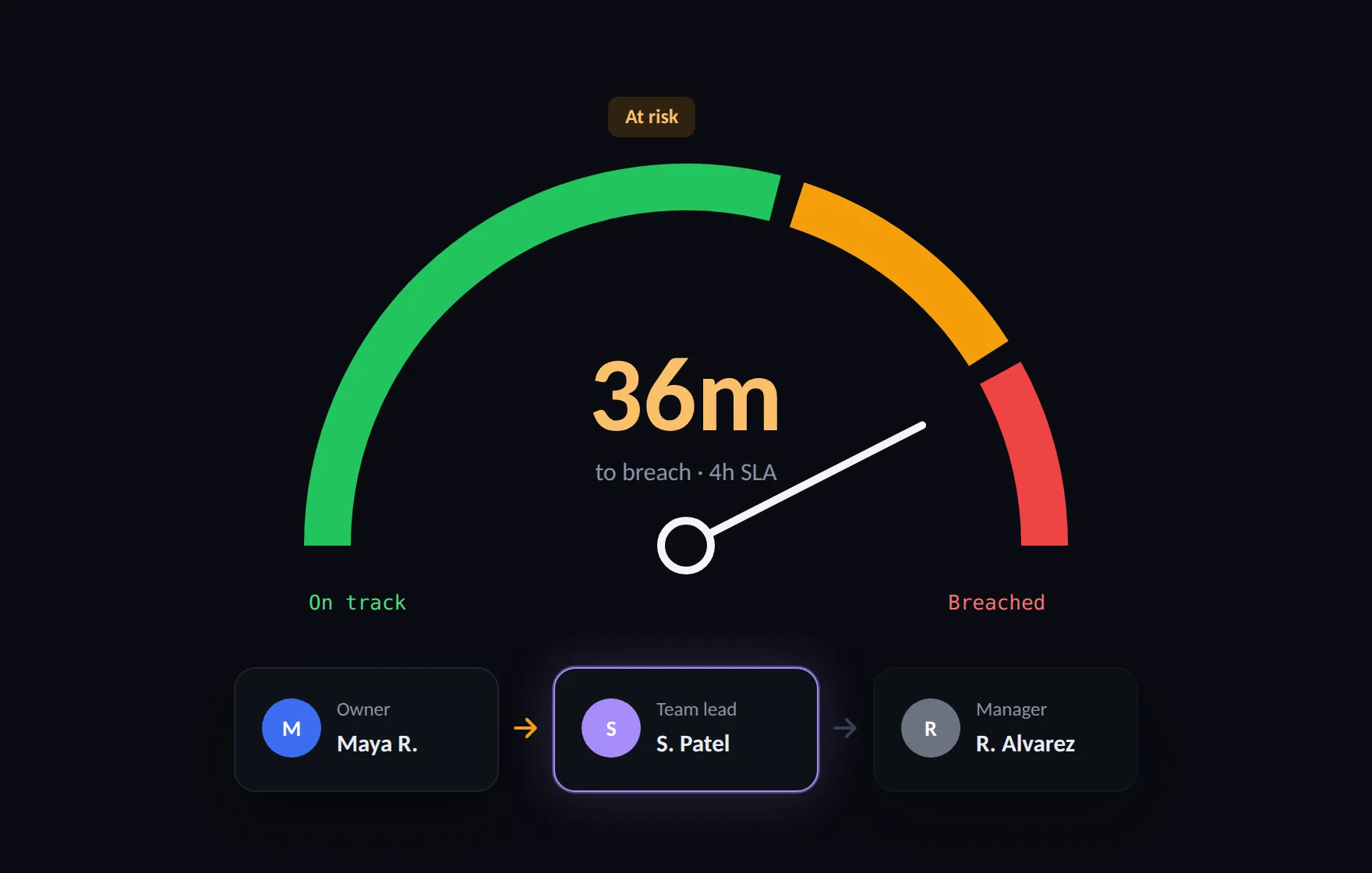
Set a deadline once — if a step is about to breach it, the right person gets escalated to automatically, no one has to notice first.
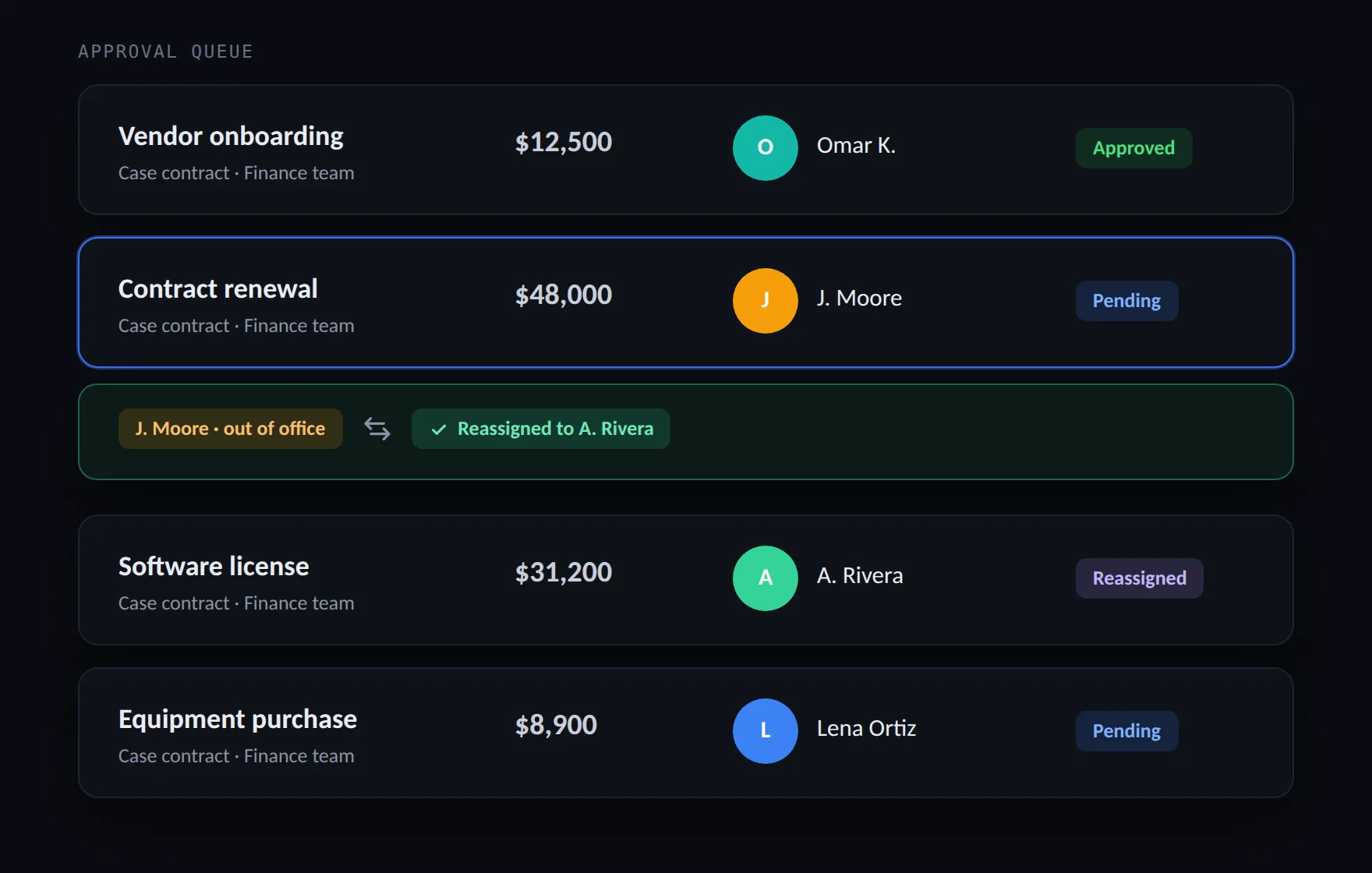
Route approvals to the right person based on case type, amount, or team — and reassign automatically if they’re out of office.
ask anything
No dashboards to build, no filters to remember - just ask.
Which approvals have been waiting more than two days?
AskLooking across your workflows…
3 approvals waiting over 48h
3 cases at risk before end of day
Top rules this week
3 workflow edits, all logged
The three things every workflow engine has to get right - built in, not bolted on.
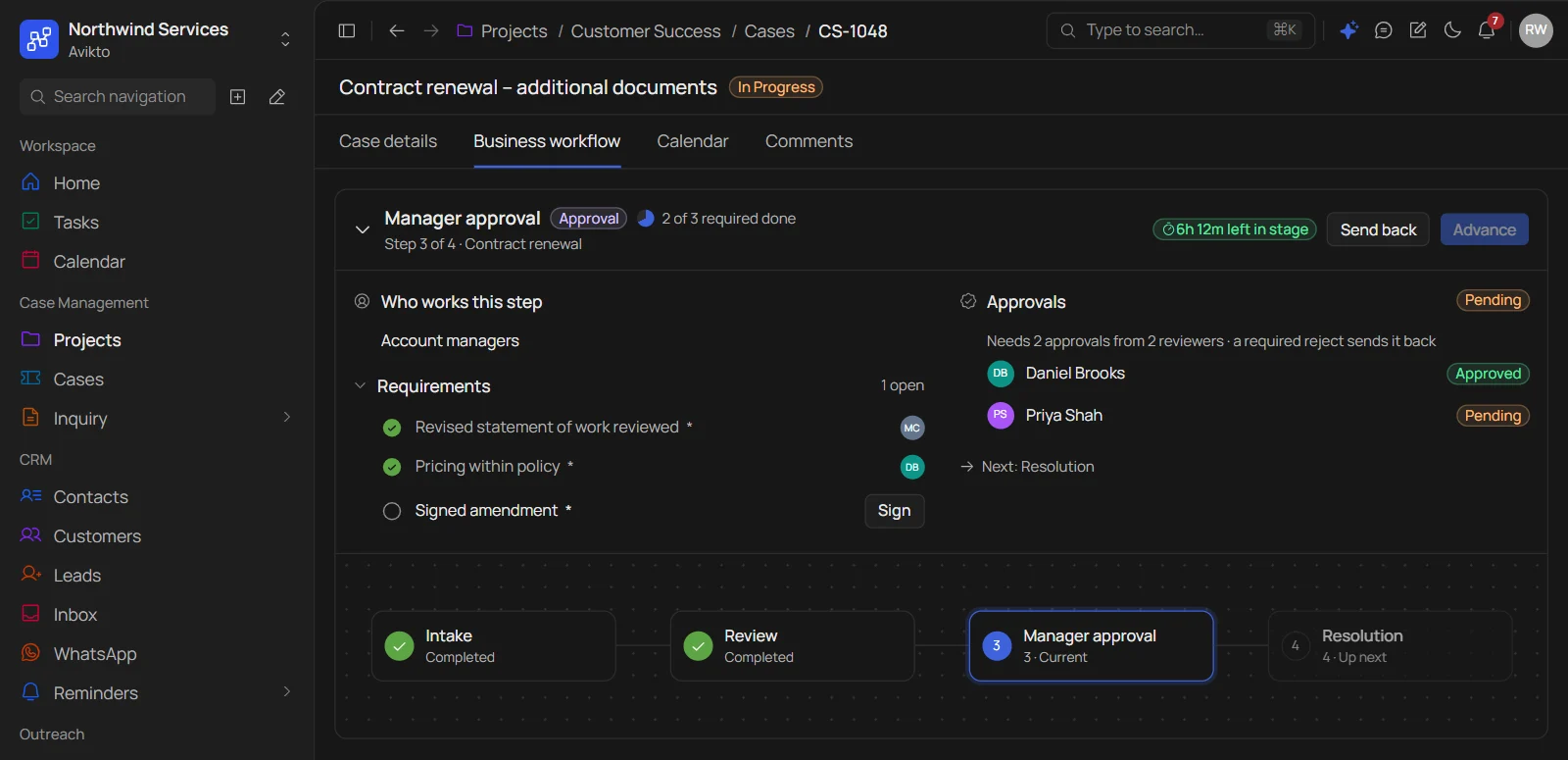
The next step only unlocks once the current one clears — no case can skip approval or jump ahead by accident, no matter who’s in a hurry.
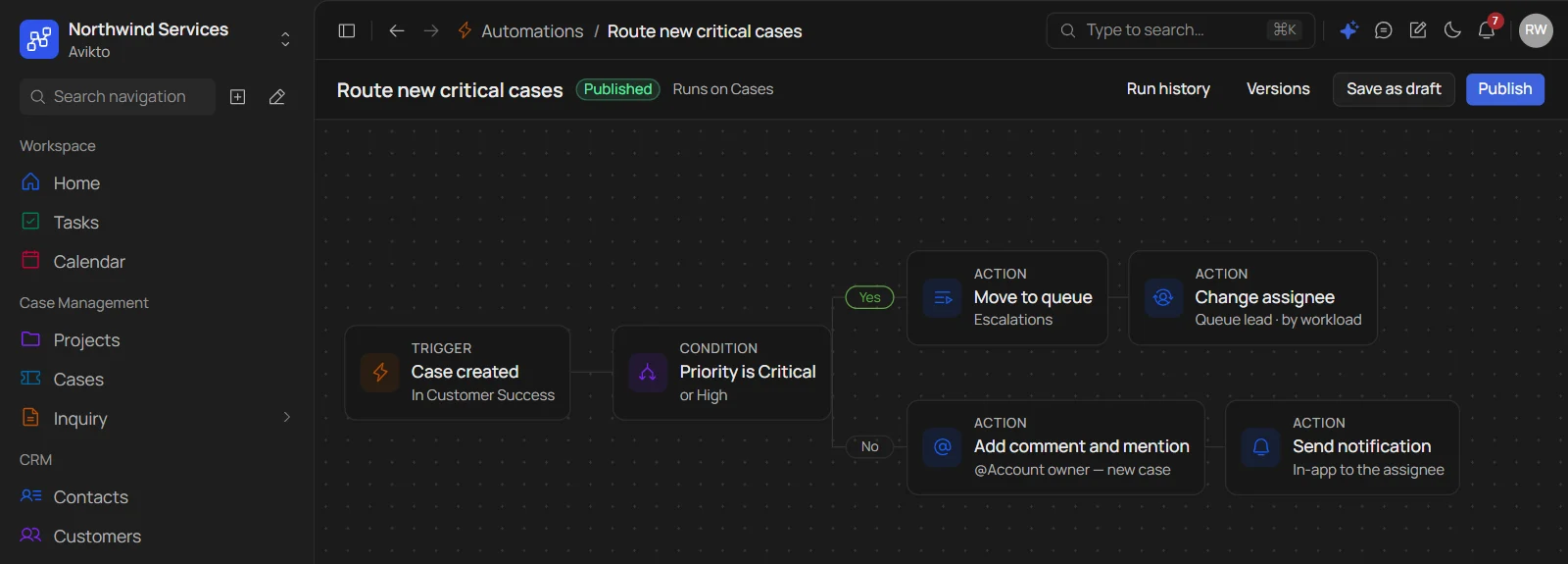
Every team’s process looks different. Build the trigger, condition, and action yourself — no custom code, no developer needed to change it later.
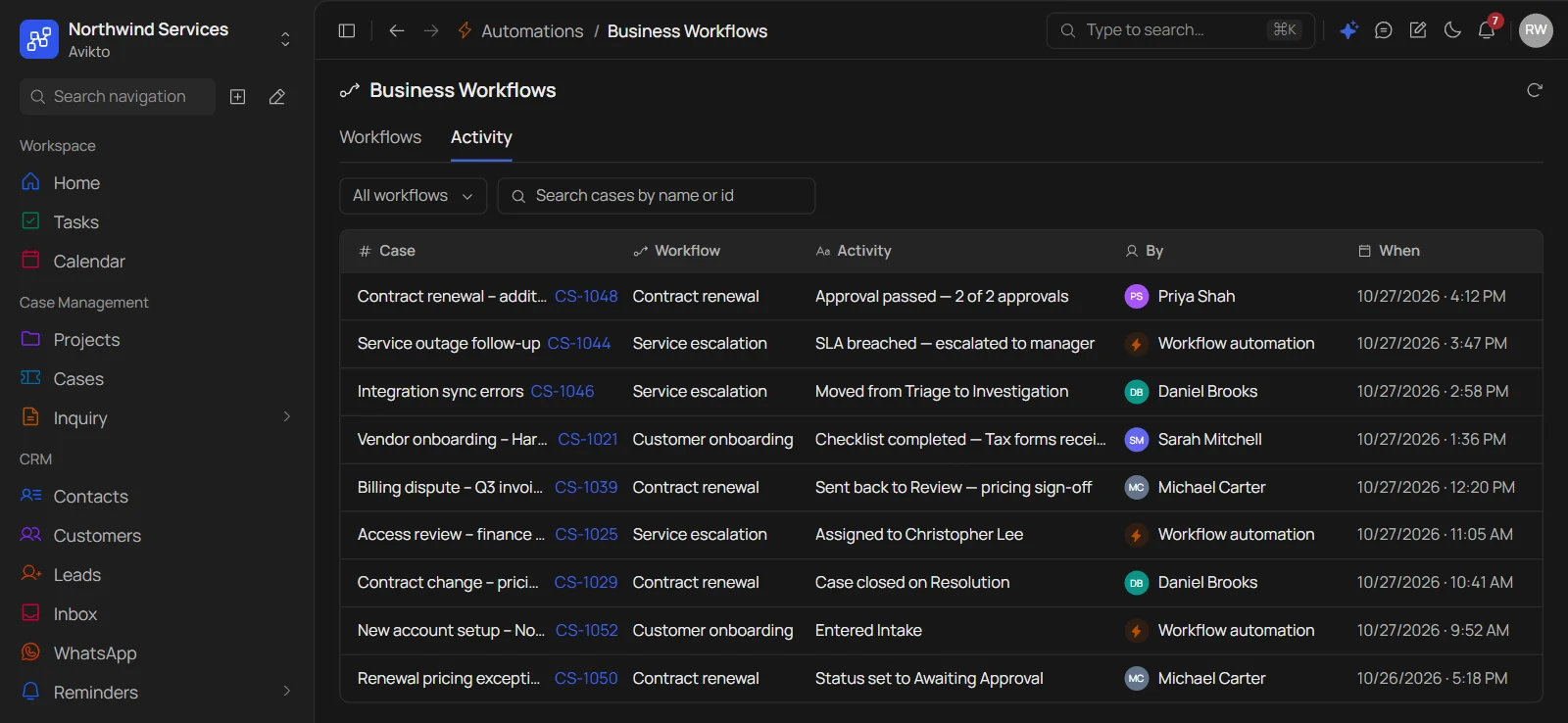
Every rule that fires, every stage change and every approval is logged with who, what and when — ready the moment an auditor asks.
AUDIT READINESS
Every action on every case is timestamped and attributed — nothing to reconstruct by hand when an auditor asks.
Set up your first workflow, add the automation rules, and watch cases move - with the audit trail already built in.